

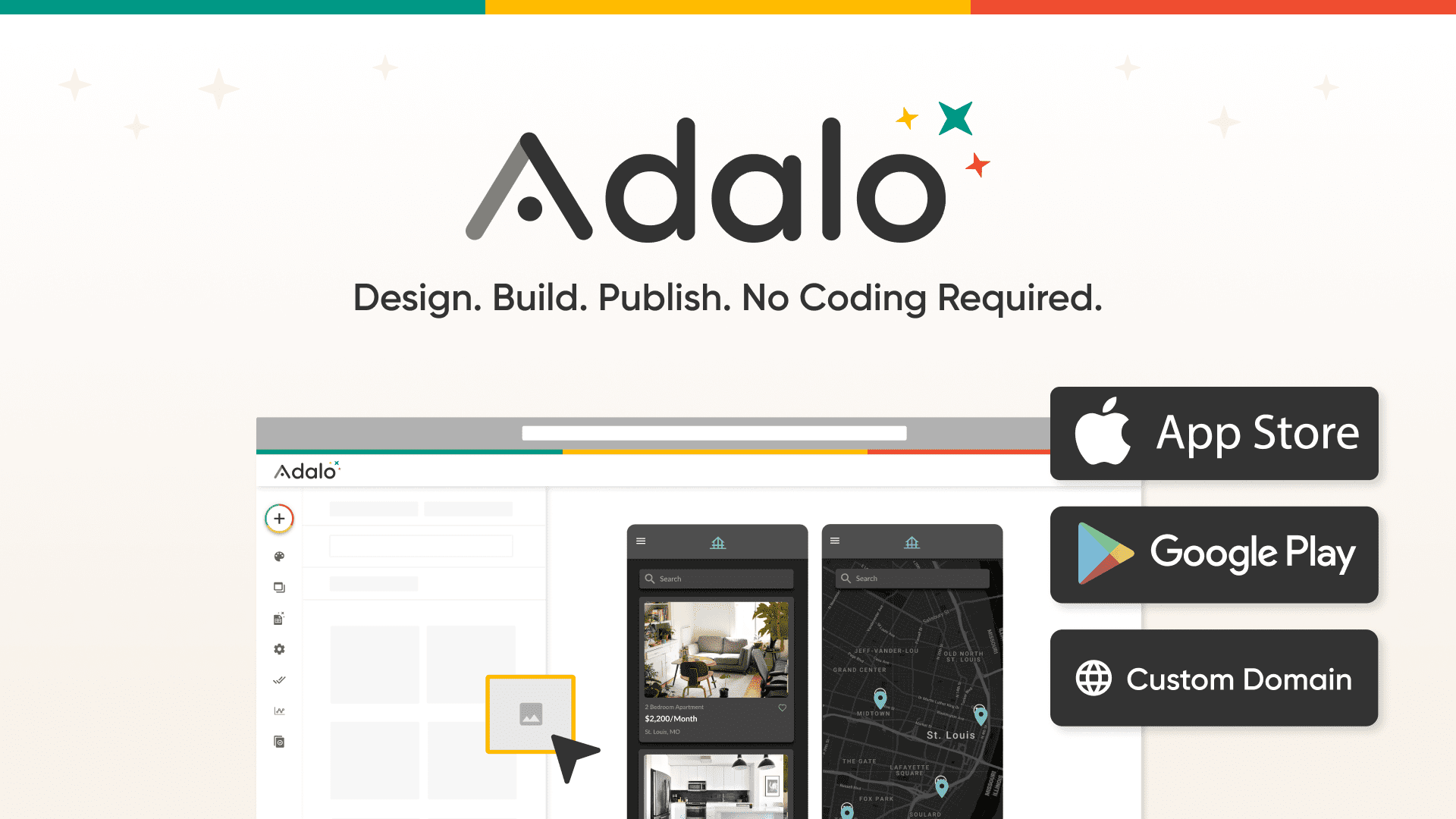
Adalo
📘 Tool Name: Adalo
🔗 Official Site: https://www.adalo.com
🎥 Explainer Video: https://www.youtube.com/watch?v=gHnGkPflQGI
🧑💻 AIC Contributor: AIC Community
🧩 Quick Look: Build mobile and web apps without code.
Beginner Benefit: Create apps easily, no coding needed.
🌟 Adalo 101:
Adalo is a fantastic tool that lets anyone create their very own mobile and web apps without writing a single line of computer code. Think of it like a set of digital LEGOs where you drag and drop different pieces to build your app's screens and features. It makes the complex world of app development super simple and visually appealing for everyone, whether you want an app for your phone or a website that works like an app.
This platform takes all the tricky technical stuff out of the picture, allowing you to focus on bringing your app idea to life with ease. You can design your app exactly how you imagine it, publish it to app stores like Apple's or Google's, and even host it on your own website. Adalo truly lowers the barrier, making app creation accessible to entrepreneurs, small business owners, and anyone with a creative vision.
📚 Key AI Concepts Explained:
1. No-Code Development: Building software and apps visually using ready-made components, completely avoiding traditional programming code.
2. Drag-and-Drop Interface: A user-friendly way to design by simply clicking, holding, and moving elements around on a screen.
3. Responsive Design: Creating an app that automatically adjusts its look and feel to fit perfectly on different screen sizes, like phones or tablets.
📖 Words to Know:
1. Components: Pre-built elements like buttons, images, or text boxes you use in your app.
2. Database: Where your app stores all its information, like user details or product lists.
3. Integrations: Connecting your app with other online services to add more features.
🎯 Imagine This:
Building an app with Adalo is like designing a professional presentation using slides, but your slides come alive.
You're putting together LEGO bricks to create a powerful, functional machine that your friends can use.
🌟 Fun Fact About the Tool:
1. Adalo has empowered over a million people to create their own custom apps.
2. Apps built with Adalo boast an impressive average uptime of over 99%.
3. Adalo-made apps process more than 20 million data requests every single day.
✅ Pros:
1. Build custom mobile and web applications without writing any code.
2. Publish your app easily to various app stores and custom web domains.
3. Integrates with popular services like Stripe, Zapier, and Airtable seamlessly.
❌ Cons:
1. May have limitations for highly complex or truly unique custom features.
2. Relying on a no-code platform means less control over underlying code.
3. Learning curve for new users to understand database and actions logic.
🧪 Use Cases:
1. Creating a custom internal dashboard for your small business operations.
2. Building a community app for local groups or event planning.
3. Developing a simple booking solution for services like fitness classes.
💰 Pricing Breakdown:
Based on the information available, Adalo allows you to "start building" without requiring a credit card, implying a free tier or trial to begin. The reviewed content mentions "Choose a plan to get started" and a dedicated "Pricing" link, but specific pricing tiers (e.g., Free, Starter, Pro, Business) and their costs were not detailed within the provided text. Users should visit the official Adalo website for up-to-date pricing plans and features.
🌟 Real-World Examples:
1. A local cafe owner could build an ordering app for customers to pre-order coffee and pastries. This boosts convenience and loyalty without needing a developer.
2. A student group can create an event planning app to manage RSVPs, share updates, and coordinate activities easily. It simplifies communication for everyone involved.
3. A freelance coach might develop a client portal for scheduling sessions, sharing resources, and collecting payments securely. This professionalizes their small business significantly.
💡 Initial Warnings:
1. Understand no-code platforms have limits; complex custom features might require workarounds or code.
2. Be mindful of data privacy and security settings within the platform for user information.
3. Consider the long-term scalability and potential costs as your app grows and attracts more users.
🚀 Getting Started:
1. Visit Adalo's official website at https://www.adalo.com to begin your app-building journey.
2. Click on the "Sign up" or "Start building for free" button to create your account easily.
3. Explore the templates to find a starting point for your unique mobile or web application.
4. Drag and drop components onto your screens to design the user interface intuitively.
5. Connect your app to a database and define actions for interactive user experiences.
6. Publish your completed app to app stores or a custom web domain effortlessly.
💡 Power-Ups:
1. Integrate with external databases like Xano or Airtable to handle larger, more complex data structures for your app.
2. Utilize Zapier connections to automate workflows between your Adalo app and thousands of other services you use daily.
3. Explore the Component Marketplace for advanced features and custom components to extend your app's functionality beyond the basics.
🎯 Difficulty Score: 3/10 🎨 (Accessible)
Adalo truly excels in usability, making the entire app-building process feel incredibly intuitive with its visual drag-and-drop builder. The enjoyment comes from seeing your app idea quickly materialize, transforming concepts into tangible tools in record time. The benefits are massive for anyone without coding experience who dreams of creating their own apps, unlocking creative potential previously restricted to developers. While some understanding of basic app logic (like databases and actions) helps, the platform significantly lowers the skills needed to create a functional and attractive application.
⭐ Official AI-Driven Rating: 8/10
Adalo shines brightly as a no-code solution, making app creation accessible to millions of aspiring makers and entrepreneurs. We love its intuitive drag-and-drop interface and the rapid deployment capabilities to both mobile and web platforms, empowering users to launch their ideas quickly. Points are awarded for significantly lowering the technical barrier, allowing beginners to turn ideas into functional apps without hiring a developer. A slight deduction is made for potential limitations on highly unique or extremely complex custom functionalities that might eventually require traditional coding.
🔎 DEEPER LOOK at Adalo
🎯 Why Adalo is a Game-Changer for Aspiring App Creators
Have you ever dreamed of building your own mobile app but felt stumped by the thought of complex coding? Adalo is here to turn that dream into a reality, especially for beginners, small business owners, and creative entrepreneurs. It’s like having a magical toolbox that lets you construct powerful apps without needing to understand all the technical jargon or write a single line of code. Get ready to bring your ideas to life!
Adalo solves the massive problem of app development being intimidating and expensive by offering a visual drag-and-drop editor. Instead of complicated programming languages, you simply arrange pre-built components like text, images, and buttons on your screen. This approach helps you work smarter, not just faster, by simplifying the technical process so you can focus on what truly matters: your app's unique idea and how it will help your users.
While professionals also benefit from Adalo's speed, its true power lies in empowering beginners to become app creators. It gives you the freedom to design, build, and publish your own custom mobile and web applications, opening up endless possibilities for innovation. Now, you can focus on being creative and solving problems, leaving the coding to Adalo's powerful platform.
🔑 Key Features of Adalo: In-Depth Breakdown
Feature 1: Drag-and-Drop Freeform Builder
Adalo's builder is incredibly visual and intuitive, working just like popular design tools you might already use. You can drag and drop components—like text, images, buttons, and forms—anywhere on your app screens without restrictions, giving you complete creative freedom. This "what you see is what you get" approach means your design visions translate directly into a working app, making the process feel less like programming and more like designing. It empowers you to build beautiful, custom interfaces quickly and efficiently.
Feature 2: Responsive Web Apps & Publishing
One of Adalo's standout features is its ability to build responsive web applications. This means you design your app once, and Adalo automatically adjusts it to look great on any device, whether it's a smartphone, tablet, or desktop computer. Even better, you can publish your finished app directly to Apple's App Store, Google Play Store, and even a custom web domain with just a few clicks. This seamless publishing process ensures your audience can access your app wherever they are, without you worrying about platform compatibility.
Feature 3: Internal Database & Integrations
Every app needs a place to store its information, and Adalo provides a robust internal relational database right out of the box. This database comes with built-in logic and property types, making it easy to manage user data, product listings, or anything else your app needs to track. For more advanced needs, Adalo also integrates with powerful external backends like Xano or Airtable, allowing for flexible data management. Plus, with integrations like Zapier and payment services like Stripe, you can connect your app to thousands of other tools, extending its functionality exponentially.
🚀 Real-World Case Studies Using Adalo
Don’t just take our word for it. Here are a few real-world examples of how people are using Adalo to do amazing things.
1. A startup founder with a brilliant idea for a new social networking app wanted to test their concept quickly. Using Adalo, they launched a fully functional prototype with user profiles and chat features in weeks, attracting early users and valuable feedback without hiring a dev team. This allowed them to iterate rapidly and prove their market fit before seeking serious investment.
2. A small non-profit organization needed a way to manage volunteers and track donations efficiently, but lacked a budget for custom software. They built a custom internal dashboard with Adalo, allowing volunteers to sign up for shifts and enabling staff to monitor contributions, streamlining their operations significantly. This provided a tailored solution that off-the-shelf software couldn't match.
3. An online course creator aimed to offer an exclusive mobile app experience for their premium students, featuring course materials and a private forum. Adalo allowed them to create this branded app, making content accessible offline and fostering a strong community among their learners, ultimately enhancing the value of their educational offerings. This created a sticky platform for their dedicated audience.
❓ Frequently Asked Questions about Adalo
1. What exactly is Adalo and what does it help me create?
Adalo is a no-code platform that empowers you to build custom mobile and web applications without needing to write any traditional code. It provides a visual drag-and-drop interface, making app development accessible and straightforward for anyone with an idea.
2. Do I need to know how to code to use Adalo effectively?
Absolutely not! Adalo is specifically designed for non-developers and beginners. Its intuitive visual builder allows you to assemble your app using pre-built components and logic, making coding knowledge completely unnecessary for creating functional apps.
3. Is there a free option to try Adalo before committing to a paid plan?
Yes, you can start building with Adalo without needing a credit card, which typically means there's a free tier or trial period to explore its features. For detailed information on pricing plans and what's included, it's best to visit their official website directly.
4. What kind of apps can I build using the Adalo platform?
With Adalo, the possibilities are vast! You can create everything from social media apps, booking solutions, internal dashboards for businesses, customer portals, educational tools, and e-commerce apps. If you can imagine it, you can likely build it.
5. How easy is it to get started with Adalo, and what do I need?
Getting started with Adalo is very easy. You just need an email address to sign up on their website. From there, you can choose a template or start from scratch, dragging and dropping elements to design your app.
⚖️ Stay Safe:
The tools and information on this site are aggregated from community contributions and internet sources. We strongly recommend users independently verify all details, consult original resources for accuracy, and exercise caution. The information, including company profiles, pricing, rules, and structures, is based on current knowledge as of December 2025, and is subject to change at the discretion of the respective entities.
This site is provided "as-is" with no warranties, and no professional, financial, or legal advice is offered or implied. We disclaim all liability for errors, omissions, damages, or losses arising from the use of this information. This platform is intended to showcase tools for informational purposes only and does not endorse or advise on financial investments or decisions. Users must conduct their own due diligence (DYOR), verify the authenticity of tool websites to avoid phishing scams, and secure accounts with strong passwords and two-factor authentication.
AIC is not responsible for the performance, safety, outcomes, or risks associated with any listed tools. Some links on this site may be affiliate links, meaning we may earn a commission if you click and make a purchase, at no additional cost to you. Always research thoroughly, comply with local laws and regulations, and consult qualified financial or legal professionals before taking action to understand potential risks. Nothing herein constitutes professional advice, and all decisions are at the user’s sole discretion. This disclaimer is governed by the laws of St. Petersburg, Florida, USA.
🔗 Official Site: https://www.adalo.com
🎥 Explainer Video: https://www.youtube.com/watch?v=gHnGkPflQGI
🧑💻 AIC Contributor: AIC Community
🧩 Quick Look: Build mobile and web apps without code.
Beginner Benefit: Create apps easily, no coding needed.
🌟 Adalo 101:
Adalo is a fantastic tool that lets anyone create their very own mobile and web apps without writing a single line of computer code. Think of it like a set of digital LEGOs where you drag and drop different pieces to build your app's screens and features. It makes the complex world of app development super simple and visually appealing for everyone, whether you want an app for your phone or a website that works like an app.
This platform takes all the tricky technical stuff out of the picture, allowing you to focus on bringing your app idea to life with ease. You can design your app exactly how you imagine it, publish it to app stores like Apple's or Google's, and even host it on your own website. Adalo truly lowers the barrier, making app creation accessible to entrepreneurs, small business owners, and anyone with a creative vision.
📚 Key AI Concepts Explained:
1. No-Code Development: Building software and apps visually using ready-made components, completely avoiding traditional programming code.
2. Drag-and-Drop Interface: A user-friendly way to design by simply clicking, holding, and moving elements around on a screen.
3. Responsive Design: Creating an app that automatically adjusts its look and feel to fit perfectly on different screen sizes, like phones or tablets.
📖 Words to Know:
1. Components: Pre-built elements like buttons, images, or text boxes you use in your app.
2. Database: Where your app stores all its information, like user details or product lists.
3. Integrations: Connecting your app with other online services to add more features.
🎯 Imagine This:
Building an app with Adalo is like designing a professional presentation using slides, but your slides come alive.
You're putting together LEGO bricks to create a powerful, functional machine that your friends can use.
🌟 Fun Fact About the Tool:
1. Adalo has empowered over a million people to create their own custom apps.
2. Apps built with Adalo boast an impressive average uptime of over 99%.
3. Adalo-made apps process more than 20 million data requests every single day.
✅ Pros:
1. Build custom mobile and web applications without writing any code.
2. Publish your app easily to various app stores and custom web domains.
3. Integrates with popular services like Stripe, Zapier, and Airtable seamlessly.
❌ Cons:
1. May have limitations for highly complex or truly unique custom features.
2. Relying on a no-code platform means less control over underlying code.
3. Learning curve for new users to understand database and actions logic.
🧪 Use Cases:
1. Creating a custom internal dashboard for your small business operations.
2. Building a community app for local groups or event planning.
3. Developing a simple booking solution for services like fitness classes.
💰 Pricing Breakdown:
Based on the information available, Adalo allows you to "start building" without requiring a credit card, implying a free tier or trial to begin. The reviewed content mentions "Choose a plan to get started" and a dedicated "Pricing" link, but specific pricing tiers (e.g., Free, Starter, Pro, Business) and their costs were not detailed within the provided text. Users should visit the official Adalo website for up-to-date pricing plans and features.
🌟 Real-World Examples:
1. A local cafe owner could build an ordering app for customers to pre-order coffee and pastries. This boosts convenience and loyalty without needing a developer.
2. A student group can create an event planning app to manage RSVPs, share updates, and coordinate activities easily. It simplifies communication for everyone involved.
3. A freelance coach might develop a client portal for scheduling sessions, sharing resources, and collecting payments securely. This professionalizes their small business significantly.
💡 Initial Warnings:
1. Understand no-code platforms have limits; complex custom features might require workarounds or code.
2. Be mindful of data privacy and security settings within the platform for user information.
3. Consider the long-term scalability and potential costs as your app grows and attracts more users.
🚀 Getting Started:
1. Visit Adalo's official website at https://www.adalo.com to begin your app-building journey.
2. Click on the "Sign up" or "Start building for free" button to create your account easily.
3. Explore the templates to find a starting point for your unique mobile or web application.
4. Drag and drop components onto your screens to design the user interface intuitively.
5. Connect your app to a database and define actions for interactive user experiences.
6. Publish your completed app to app stores or a custom web domain effortlessly.
💡 Power-Ups:
1. Integrate with external databases like Xano or Airtable to handle larger, more complex data structures for your app.
2. Utilize Zapier connections to automate workflows between your Adalo app and thousands of other services you use daily.
3. Explore the Component Marketplace for advanced features and custom components to extend your app's functionality beyond the basics.
🎯 Difficulty Score: 3/10 🎨 (Accessible)
Adalo truly excels in usability, making the entire app-building process feel incredibly intuitive with its visual drag-and-drop builder. The enjoyment comes from seeing your app idea quickly materialize, transforming concepts into tangible tools in record time. The benefits are massive for anyone without coding experience who dreams of creating their own apps, unlocking creative potential previously restricted to developers. While some understanding of basic app logic (like databases and actions) helps, the platform significantly lowers the skills needed to create a functional and attractive application.
⭐ Official AI-Driven Rating: 8/10
Adalo shines brightly as a no-code solution, making app creation accessible to millions of aspiring makers and entrepreneurs. We love its intuitive drag-and-drop interface and the rapid deployment capabilities to both mobile and web platforms, empowering users to launch their ideas quickly. Points are awarded for significantly lowering the technical barrier, allowing beginners to turn ideas into functional apps without hiring a developer. A slight deduction is made for potential limitations on highly unique or extremely complex custom functionalities that might eventually require traditional coding.
🔎 DEEPER LOOK at Adalo
🎯 Why Adalo is a Game-Changer for Aspiring App Creators
Have you ever dreamed of building your own mobile app but felt stumped by the thought of complex coding? Adalo is here to turn that dream into a reality, especially for beginners, small business owners, and creative entrepreneurs. It’s like having a magical toolbox that lets you construct powerful apps without needing to understand all the technical jargon or write a single line of code. Get ready to bring your ideas to life!
Adalo solves the massive problem of app development being intimidating and expensive by offering a visual drag-and-drop editor. Instead of complicated programming languages, you simply arrange pre-built components like text, images, and buttons on your screen. This approach helps you work smarter, not just faster, by simplifying the technical process so you can focus on what truly matters: your app's unique idea and how it will help your users.
While professionals also benefit from Adalo's speed, its true power lies in empowering beginners to become app creators. It gives you the freedom to design, build, and publish your own custom mobile and web applications, opening up endless possibilities for innovation. Now, you can focus on being creative and solving problems, leaving the coding to Adalo's powerful platform.
🔑 Key Features of Adalo: In-Depth Breakdown
Feature 1: Drag-and-Drop Freeform Builder
Adalo's builder is incredibly visual and intuitive, working just like popular design tools you might already use. You can drag and drop components—like text, images, buttons, and forms—anywhere on your app screens without restrictions, giving you complete creative freedom. This "what you see is what you get" approach means your design visions translate directly into a working app, making the process feel less like programming and more like designing. It empowers you to build beautiful, custom interfaces quickly and efficiently.
Feature 2: Responsive Web Apps & Publishing
One of Adalo's standout features is its ability to build responsive web applications. This means you design your app once, and Adalo automatically adjusts it to look great on any device, whether it's a smartphone, tablet, or desktop computer. Even better, you can publish your finished app directly to Apple's App Store, Google Play Store, and even a custom web domain with just a few clicks. This seamless publishing process ensures your audience can access your app wherever they are, without you worrying about platform compatibility.
Feature 3: Internal Database & Integrations
Every app needs a place to store its information, and Adalo provides a robust internal relational database right out of the box. This database comes with built-in logic and property types, making it easy to manage user data, product listings, or anything else your app needs to track. For more advanced needs, Adalo also integrates with powerful external backends like Xano or Airtable, allowing for flexible data management. Plus, with integrations like Zapier and payment services like Stripe, you can connect your app to thousands of other tools, extending its functionality exponentially.
🚀 Real-World Case Studies Using Adalo
Don’t just take our word for it. Here are a few real-world examples of how people are using Adalo to do amazing things.
1. A startup founder with a brilliant idea for a new social networking app wanted to test their concept quickly. Using Adalo, they launched a fully functional prototype with user profiles and chat features in weeks, attracting early users and valuable feedback without hiring a dev team. This allowed them to iterate rapidly and prove their market fit before seeking serious investment.
2. A small non-profit organization needed a way to manage volunteers and track donations efficiently, but lacked a budget for custom software. They built a custom internal dashboard with Adalo, allowing volunteers to sign up for shifts and enabling staff to monitor contributions, streamlining their operations significantly. This provided a tailored solution that off-the-shelf software couldn't match.
3. An online course creator aimed to offer an exclusive mobile app experience for their premium students, featuring course materials and a private forum. Adalo allowed them to create this branded app, making content accessible offline and fostering a strong community among their learners, ultimately enhancing the value of their educational offerings. This created a sticky platform for their dedicated audience.
❓ Frequently Asked Questions about Adalo
1. What exactly is Adalo and what does it help me create?
Adalo is a no-code platform that empowers you to build custom mobile and web applications without needing to write any traditional code. It provides a visual drag-and-drop interface, making app development accessible and straightforward for anyone with an idea.
2. Do I need to know how to code to use Adalo effectively?
Absolutely not! Adalo is specifically designed for non-developers and beginners. Its intuitive visual builder allows you to assemble your app using pre-built components and logic, making coding knowledge completely unnecessary for creating functional apps.
3. Is there a free option to try Adalo before committing to a paid plan?
Yes, you can start building with Adalo without needing a credit card, which typically means there's a free tier or trial period to explore its features. For detailed information on pricing plans and what's included, it's best to visit their official website directly.
4. What kind of apps can I build using the Adalo platform?
With Adalo, the possibilities are vast! You can create everything from social media apps, booking solutions, internal dashboards for businesses, customer portals, educational tools, and e-commerce apps. If you can imagine it, you can likely build it.
5. How easy is it to get started with Adalo, and what do I need?
Getting started with Adalo is very easy. You just need an email address to sign up on their website. From there, you can choose a template or start from scratch, dragging and dropping elements to design your app.
⚖️ Stay Safe:
The tools and information on this site are aggregated from community contributions and internet sources. We strongly recommend users independently verify all details, consult original resources for accuracy, and exercise caution. The information, including company profiles, pricing, rules, and structures, is based on current knowledge as of December 2025, and is subject to change at the discretion of the respective entities.
This site is provided "as-is" with no warranties, and no professional, financial, or legal advice is offered or implied. We disclaim all liability for errors, omissions, damages, or losses arising from the use of this information. This platform is intended to showcase tools for informational purposes only and does not endorse or advise on financial investments or decisions. Users must conduct their own due diligence (DYOR), verify the authenticity of tool websites to avoid phishing scams, and secure accounts with strong passwords and two-factor authentication.
AIC is not responsible for the performance, safety, outcomes, or risks associated with any listed tools. Some links on this site may be affiliate links, meaning we may earn a commission if you click and make a purchase, at no additional cost to you. Always research thoroughly, comply with local laws and regulations, and consult qualified financial or legal professionals before taking action to understand potential risks. Nothing herein constitutes professional advice, and all decisions are at the user’s sole discretion. This disclaimer is governed by the laws of St. Petersburg, Florida, USA.
Not Rated Yet