

Asana
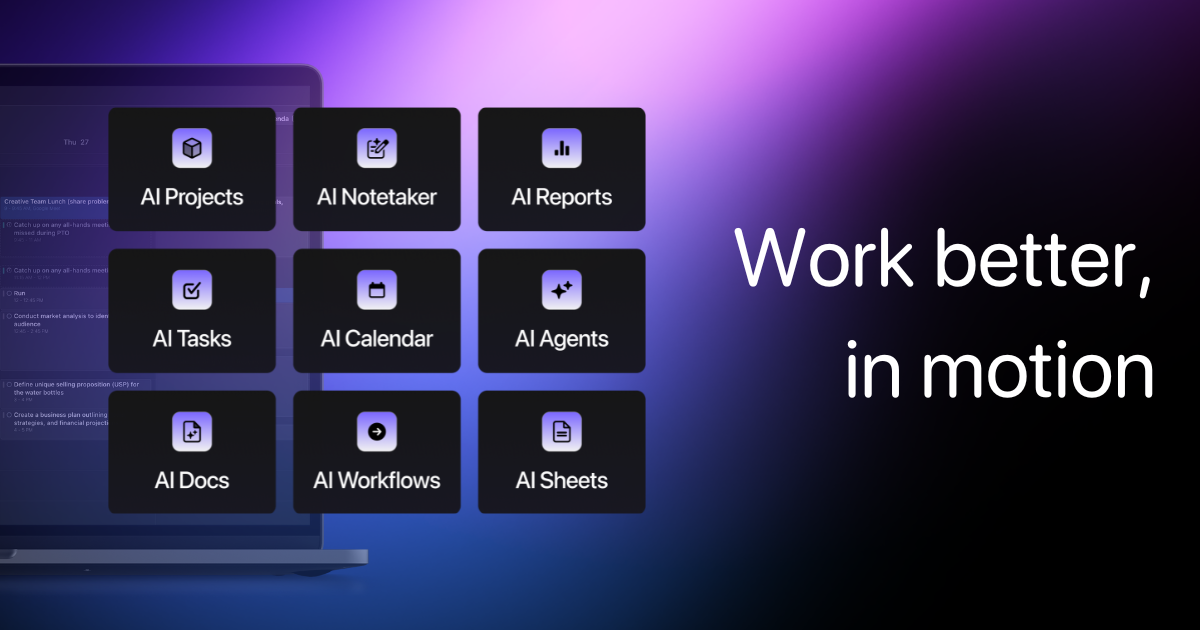
📘 Tool Name: Asana 🔗 Official Site: https://asana.com 🎥 Explainer Video: https://www.youtube.com/watch?v=wxSRHrx4qho 🧑💻 AIC Contributor: AIC Community 🧩 Quick Look: Organize team projects, tasks, and goals easily Beginner Benefit: Keeps all your work clearly visible 🌟 Asana 101: Asana is a super helpful online tool designed to keep all your team's work organized and on track. Think of it as a central hub where everyone knows what to do, when it's due, and how it fits into the bigger picture. It lets you break down big projects into smaller, manageable tasks so nothing falls through the cracks. This platform makes it simple for teams, big or small, to collaborate on projects without getting lost in endless emails or scattered documents. You can assign tasks, set deadlines, share files, and even track progress all in one place, ensuring everyone is on the same page. It’s perfect for turning big goals into daily actions. 📚 Key AI Concepts Explained: 1. Automation: Asana uses AI to automatically handle repetitive tasks, like assigning work or sending reminders, freeing up your time for more important things. 2. Smart Assists: These AI features help you write better task descriptions or generate project summaries quickly by understanding your project context. 3. AI Teammates: Imagine a virtual helper that can help manage parts of your project, offering suggestions or insights based on your team's work. 📖 Words to Know: 1. Workflow: The sequence of steps a task follows from beginning to completion. 2. Integrations: Connecting Asana with other apps you use for seamless collaboration. 3. Kanban Board: A visual tool to manage tasks using cards in columns for different stages. 🎯 Imagine This: Think of Asana like a digital whiteboard where everyone on your team can see tasks, deadlines, and who's doing what. It's like having a super-organized assistant who reminds everyone about their to-do list and keeps track of team progress. 🌟 Fun Fact About the Tool: 1. Asana was co-founded by Dustin Moskovitz, one of Facebook's co-founders, and Justin Rosenstein, an early engineer at Facebook. 2. The company's name, "Asana," comes from the Sanskrit word for a yoga pose, symbolizing focus and stability. 3. Asana's original purpose was to improve employee productivity at Facebook before it became a standalone product. ✅ Pros: 1. Keeps all team tasks and projects neatly organized in one place. 2. Improves communication and collaboration among team members easily. 3. Offers visual ways to track progress, like lists and Kanban boards. ❌ Cons: 1. Can feel a bit overwhelming for individual users with very simple needs. 2. Advanced features may require a learning curve for new team leaders. 3. Specific pricing details for larger teams are not always transparent upfront. 🧪 Use Cases: 1. Managing a marketing campaign from planning to launch with clear steps. 2. Onboarding new employees by standardizing all necessary training tasks. 3. Tracking product development sprints, ensuring timely feature releases. 💰 Pricing Breakdown: Asana offers a free 'Personal' plan for individuals or very small teams to get started. For more advanced features and team collaboration, there are paid plans like 'Starter,' 'Advanced,' and 'Enterprise,' though specific pricing details were not explicitly listed on the homepage and typically vary based on team size and features needed. 🌟 Real-World Examples: 1. A small business owner uses Asana to manage their content calendar, assigning blog posts and social media updates to team members and tracking deadlines. This ensures consistent online presence. 2. A student group employs Asana to coordinate their joint projects, breaking down research, writing, and presentation tasks, making sure everyone contributes on time. It helps them ace group assignments. 3. A non-profit organization uses Asana to plan their annual fundraising event, tracking everything from venue booking to volunteer recruitment, ensuring a smooth and successful event. 💡 Initial Warnings: 1. Be prepared to invest a little time initially to set up your projects correctly for best results. 2. Start with simpler projects to get comfortable before diving into complex team-wide initiatives. 3. Remember that the free plan has limits, so check if it meets your team's specific needs. 🚀 Getting Started: 1. Visit the Asana website at https://asana.com and click "Get started." 2. Sign up using your work email address or a Google account to create your free account. 3. Follow the guided setup to create your first project and invite team members. 4. Explore the different views like List, Board, or Timeline to see what works for you. 💡 Power-Ups: 1. Integrate Asana with your other favorite tools like Slack or Zoom to centralize communication and streamline workflows effectively. 2. Utilize Asana's workflow automation features to automatically assign tasks, move projects, or send reminders based on specific triggers and conditions. 3. Dive into Asana's reporting features to gain insights into team workload, project progress, and identify potential bottlenecks for better planning. 🎯 Difficulty Score: 4/10 🥳 (User-Friendly) Asana is surprisingly easy to get started with, especially if you're just organizing simple tasks, making it quite user-friendly. The initial setup is straightforward, and the visual interface quickly helps you understand where everything is. While advanced features require some exploration, the basic functions are intuitive for beginners. Its clear structure helps you enjoy managing tasks and see benefits quickly, requiring minimal technical skills to use. ⭐ Official AI-Driven Rating: 8/10 Asana scores an 8 out of 10 for its excellent balance of powerful features and user-friendliness for teams. We love how it clearly organizes work, making complex projects feel manageable for anyone. Points are awarded for its robust project management capabilities, seamless team collaboration, and the helpful introduction of AI tools that automate and assist. A point is deducted because the full power of Asana sometimes comes with a steeper learning curve for its more advanced options, and explicit pricing for higher tiers isn't always upfront. 🔎 DEEPER LOOK at Asana 🎯 Why Asana is a Game-Changer for Small Teams and Content Creators Are you tired of scattered emails, missed deadlines, and endless confusion about who's doing what? Then meet Asana, the brilliant tool that’s here to rescue your small team or content creation efforts from chaos! It’s designed to bring everyone and everything together, making collaboration a breeze whether you're managing a small business or producing awesome online content. Get ready to transform how your team works and stays aligned. Asana helps this audience solve the major problem of disorganization by providing a clear, shared workspace for all tasks, projects, and goals. It lets you visualize your workflow, assign responsibilities, and track progress in real-time, meaning less time spent chasing updates and more time actually creating. With features like task lists, Kanban boards, and automation, Asana ensures your team isn't just working faster, but smarter, by eliminating bottlenecks and boosting productivity. Even seasoned professionals appreciate Asana's depth, but its true magic lies in empowering beginners to feel like project management pros from day one. It simplifies complex processes, allowing small businesses to compete effectively and content creators to focus on their creative vision rather than getting bogged down in logistical nightmares. Embrace Asana, and unleash your team's full creative potential, knowing every detail is perfectly managed. 🔑 Key Features of Asana: In-Depth Breakdown Feature 1: Project Management & Task Tracking Asana excels at letting you define, assign, and track individual tasks within larger projects. You can create detailed tasks, add due dates, assign them to specific team members, and attach relevant files and instructions. This feature ensures that every piece of work has an owner and a deadline, making it easy to see project status at a glance. It's incredibly valuable for ensuring accountability and making sure no task gets overlooked, from a simple to-do to a complex multi-stage initiative. Feature 2: Workflows and Automation Asana allows teams to streamline repetitive processes by setting up custom workflows and automation rules. You can create templates for common projects (like new client onboarding or content creation) and set up rules that automatically move tasks, assign new steps, or send notifications when certain conditions are met. This not only saves immense amounts of time but also reduces human error, ensuring consistency in how work is handled across your team. It truly helps your team work smarter, not just harder. Feature 3: Asana AI (AI Studio, AI Teammates, Smart Assists) Asana's integrated AI capabilities are a game-changer for efficiency. AI Studio helps generate project briefs and meeting agendas, while AI Teammates can assist in managing specific parts of your project, offering suggestions or insights. Smart Assists can help you write clearer task descriptions, summarize conversations, or even identify potential roadblocks. This suite of AI tools makes project management less about manual effort and more about intelligent, context-aware assistance, allowing your team to focus on strategic work. 🚀 Real-World Case Studies Using Asana Don’t just take our word for it. Here are a few real-world examples of how people are using Asana to do amazing things. 1. A budding podcast production team was struggling with managing episode deadlines, script approvals, and audio editing schedules across different contractors. They implemented Asana to create a clear editorial calendar, assigning each step of the production process, from recording to final upload, to specific team members. This helped them launch new episodes consistently, significantly reducing missed deadlines and improving communication flow among the creative team. 2. A small e-commerce business faced challenges coordinating new product launches, from photography and website updates to marketing campaigns and inventory management. By using Asana, they created a detailed launch plan where every department could see their specific tasks, dependencies, and deadlines on a shared timeline. This enabled them to execute launches smoothly and efficiently, ensuring all elements were ready simultaneously and reducing last-minute scrambling. 3. A local community outreach program needed a better way to organize their volunteer recruitment, event planning, and communication with participants. They adopted Asana to manage all aspects of their initiatives, setting up projects for different events and tracking volunteer sign-ups, training schedules, and task assignments. This centralized approach made it easier to coordinate a large number of volunteers and ensure successful, impactful community events that truly resonated with their audience. ❓ Frequently Asked Questions about Asana 1. What is Asana and how can it help my team? Asana is a work management platform designed to help teams organize, track, and manage their projects and tasks online. It helps improve collaboration, keeps everyone clear on responsibilities, and ensures deadlines are met by centralizing all work in one place. 2. Is there a free version of Asana available for beginners? Yes, Asana offers a free "Personal" plan that is perfect for individuals or very small teams to start managing their tasks and projects. This free tier provides essential features to get you organized before you consider upgrading to a paid plan. 3. How does Asana help content creators and marketing teams? Asana provides content creators and marketing teams with tools to manage editorial calendars, campaign launches, and social media schedules efficiently. You can assign content creation tasks, track approvals, and ensure all marketing assets are ready on time, streamlining your workflow. 4. Is my team's data safe and secure when using Asana? Asana takes data security seriously, employing industry-standard security measures to protect your information. They focus on secure connections, data encryption, and compliance, giving you peace of mind that your team's sensitive project data is well-protected. 5. What do I need to get started with Asana and how quickly can I set it up? To get started, you simply need an email address. You can sign up in minutes and immediately begin creating projects and inviting team members. Asana offers guided tours and templates to help you set up your first project quickly and effectively. ⚖️ Stay Safe: The tools and information on this site are aggregated from community contributions and internet sources. We strongly recommend users independently verify all details, consult original resources for accuracy, and exercise caution. The information, including company profiles, pricing, rules, and structures, is based on current knowledge as of December 2025, and is subject to change at the discretion of the respective entities. This site is provided "as-is" with no warranties, and no professional, financial, or legal advice is offered or implied. We disclaim all liability for errors, omissions, damages, or losses arising from the use of this information. This platform is intended to showcase tools for informational purposes only and does not endorse or advise on financial investments or decisions. Users must conduct their own due diligence (DYOR), verify the authenticity of tool websites to avoid phishing scams, and secure accounts with strong passwords and two-factor authentication. AIC is not responsible for the performance, safety, outcomes, or risks associated with any listed tools. Some links on this site may be affiliate links, meaning we may earn a commission if you click and make a purchase, at no additional cost to you. Always research thoroughly, comply with local laws and regulations, and consult qualified financial or legal professionals before taking action to understand potential risks. Nothing herein constitutes professional advice, and all decisions are at the user’s sole discretion. This disclaimer is governed by the laws of St. Petersburg, Florida, USA.




Not Rated Yet