

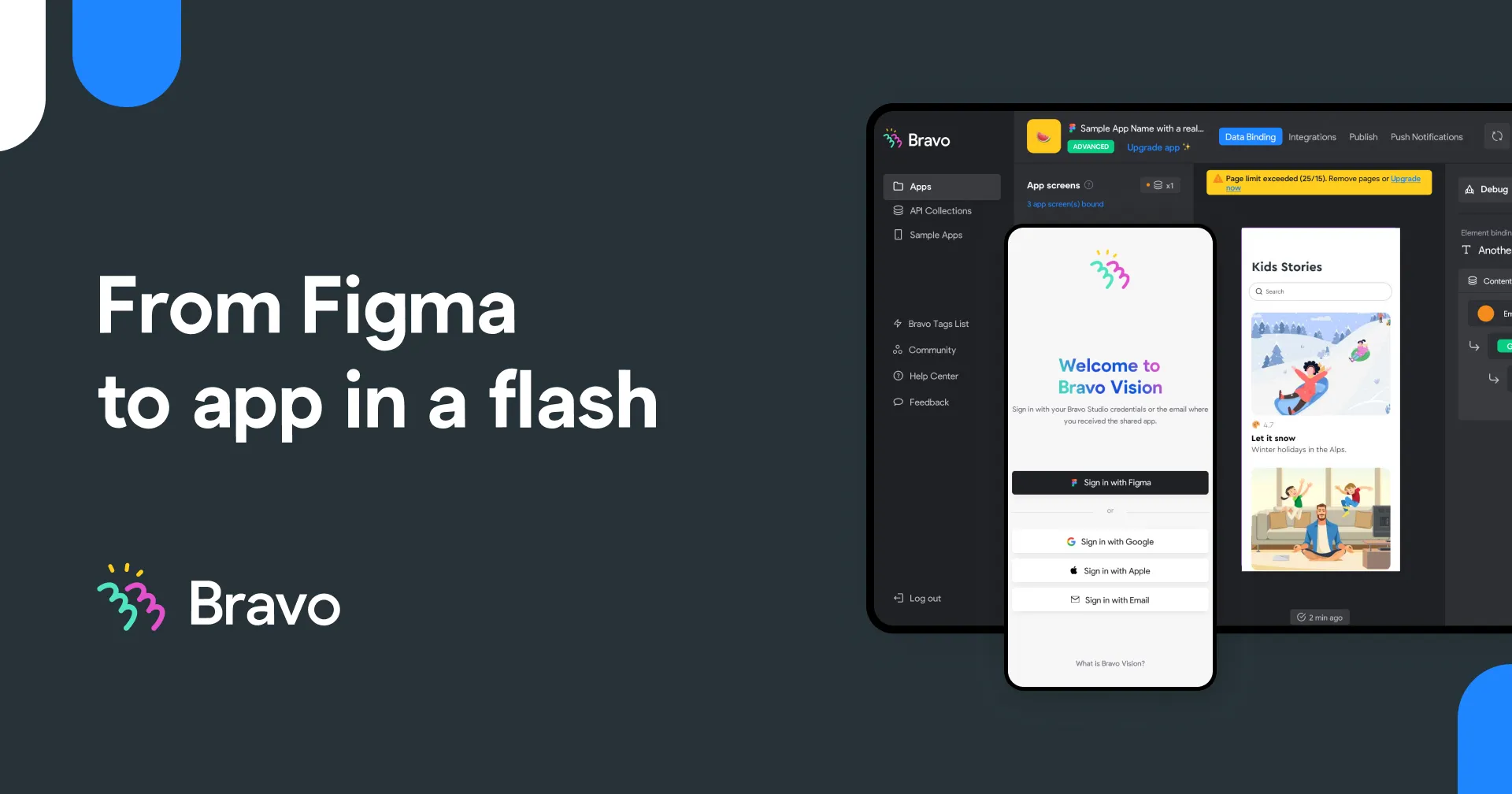
Bravo Studio
📘 Tool Name: Bravo Studio
🔗 Official Site: https://www.bravostudio.app
🎥 Explainer Video: https://www.youtube.com/watch?v=XhimuVI8GQs
🧑💻 AIC Contributor: AIC Community
🧩 Quick Look: Figma designs to native apps, no code.
Beginner Benefit: Build real apps without coding.
🌟 Bravo Studio 101:
Bravo Studio is a fantastic tool that helps you turn your design ideas into real, working mobile apps without needing to write any complicated code. Imagine you've created a beautiful app design using a tool called Figma; Bravo Studio acts as the bridge that takes that visual design and transforms it into a fully functional app for both iPhones and Android phones. It's like magic for designers who want to see their creations come alive on a phone screen.
This platform makes app development much more accessible, especially for people new to tech or who don't know how to code. It even uses smart AI features to help you with the technical bits, like setting up how your app handles data, and allows you to add custom features using simple web components. Essentially, Bravo Studio empowers you to design, build, and launch your very own mobile application faster than ever before.
📚 Key AI Concepts Explained:
AI-Powered Backend Systems: Tools like Bravo Studio can connect to backend systems that are created easily using AI, handling the technical setup for you.
Web Components: These are small, reusable pieces of web code (HTML, JavaScript, CSS) that you can inject into your app for custom features, often generated with AI.
Design-first Development: This approach prioritizes your visual design in tools like Figma, using AI to help translate that design directly into a working application without traditional coding.
📖 Words to Know:
Figma: A popular online design tool used to create visual layouts for websites and apps.
No-Code: Building applications or websites without writing any traditional programming code.
Native App: An application developed specifically for a mobile operating system like iOS or Android.
🎯 Imagine This:
Think of it like having a magical blueprint that instantly turns your drawing into a real, working toy.
It's similar to designing a beautiful house in a drawing program and then clicking a button to instantly build it.
🌟 Fun Fact About the Tool:
Bravo Studio allows you to update your live app directly from your Figma design, saving time on re-uploading.
It helps designers and non-coders launch apps on both iOS and Android stores without hiring a full development team.
Bravo Studio recently introduced a new feature allowing users to bring their apps to life with AI Voice.
✅ Pros:
Transforms Figma designs into functional native mobile applications effortlessly.
Empowers non-coders and designers to build and publish real apps quickly.
Integrates AI tools for simpler backend creation and custom component development.
❌ Cons:
Relies heavily on external design tools like Figma, which is a prerequisite.
Advanced custom features might still require some understanding of web components.
While no-code, there's still a learning curve for linking data and APIs.
🧪 Use Cases:
Creating a custom fitness or meditation app without any coding knowledge.
Launching a restaurant or event app for a small business quickly.
Building a personal trainer or recipe app directly from a design.
💰 Pricing Breakdown:
Bravo Studio offers a 'Start Building for Free' option, allowing users to begin their app development journey without immediate cost. While specific pricing tiers (monthly/annual) are mentioned with discounts during events like Black Friday, detailed plan costs were not explicitly laid out on the homepage, but paid plans with advanced features are available.
🌟 Real-World Examples:
A yoga instructor could create their own meditation app to share guided sessions and daily reminders with students. This helps them connect with their community and offer valuable content easily.
A local restaurant owner could design and launch an app for online ordering and loyalty programs, boosting customer engagement and simplifying the ordering process for regulars.
A student working on a passion project could build a simple event or recipe app to showcase their ideas without needing coding skills, making their portfolio stand out.
💡 Initial Warnings:
You'll need existing Figma designs ready before you can start building your app.
While no-code, understanding how APIs work will greatly enhance your app's capabilities.
Be prepared for a learning curve to fully utilize advanced features like Web Components effectively.
🚀 Getting Started:
Visit the Bravo Studio website at https://www.bravostudio.app and sign up for a free account.
Connect your existing Figma account and project designs to the Bravo Studio platform.
Use Bravo Vision on your phone to instantly preview your designs as a real app.
Add dynamic content and features by connecting data via APIs or integrations.
Publish your finished app to the iOS App Store and Google Play Store.
💡 Power-Ups:
Integrate AI-generated backend systems to effortlessly manage data and user interactions for your app, streamlining your workflow.
Leverage Web Components (HTML, CSS, JavaScript) to create highly custom and interactive features beyond standard templates, giving you complete design freedom.
Connect to a wide range of third-party tools via REST APIs to expand functionality and data sources, making your app truly dynamic and integrated.
🎯 Difficulty Score: 4/10 🤩 (Accessible Pioneer)
Bravo Studio scores a 4 out of 10 for difficulty, placing it firmly in the accessible pioneer category. Usability is high for those already comfortable with Figma, making the transition from design to app surprisingly smooth. Enjoyment comes from seeing designs become real apps so quickly, providing immense satisfaction and motivation. The benefits of rapidly launching native apps without code are immense, especially for designers and creators. While no coding skills are strictly needed, a basic understanding of design tools and how data connections (APIs) work can significantly enhance your experience. The primary challenge might be the initial setup with Figma and wrapping your head around connecting real data to your visual designs.
⭐ Official AI-Driven Rating: 8/10
Bravo Studio earns an impressive 8 out of 10 in our official AI-Driven Rating. This tool truly shines for designers and creative entrepreneurs who are eager to bridge the gap from a beautiful Figma design to a live, functional mobile application. I particularly love its seamless integration with Figma, which transforms the design process directly into app development, and the power it gives to non-coders to realize their app ideas. Points are awarded for its innovative approach to no-code app development, its AI-enhanced features that simplify complex tasks, and the remarkable speed it offers in launching native apps. A point is deducted for the inherent reliance on a user's proficiency with Figma and the potential learning curve involved in fully mastering advanced API integrations and Web Components.
🔎 DEEPER LOOK at Bravo Studio
🎯 Why Bravo Studio is a Game-Changer for Designers & Small Businesses
Ever dreamt of turning your beautiful design ideas into a real, live mobile app without needing to learn complex code? Bravo Studio is here to make that dream a reality for designers, small business owners, and creative entrepreneurs! This platform is specifically designed to empower you to create stunning, functional native mobile applications directly from your Figma designs, completely sidestepping the traditional coding hurdles.
This incredible tool acts as a bridge, taking your meticulously crafted designs from Figma and transforming them into fully functional native apps for both iOS and Android. It lets you focus on what you do best – designing amazing user experiences – while Bravo Studio handles the technical heavy lifting, including integrating AI for backends. This means you can solve business problems or launch creative projects smarter, not just faster, by leveraging your existing design skills.
Even seasoned developers can appreciate the speed and efficiency Bravo Studio brings to prototyping and launching minimum viable products (MVPs). But for beginners, it’s an empowering platform that democratizes app creation, allowing anyone with a vision to bring it to life. With Bravo Studio, you can finally launch your dream app and truly focus on your creativity, bringing unique ideas to mobile users around the world.
🔑 Key Features of Bravo Studio: In-Depth Breakdown
Feature 1: Figma to Native App Conversion
This core feature allows you to directly convert your designs made in Figma into actual, working mobile applications for iOS and Android. It means your buttons, layouts, and entire user interface meticulously designed in Figma become interactive elements in a real app, saving countless hours of traditional coding. What makes it stand out is the direct, live sync, allowing designers to update their app simply by changing their Figma file. This is invaluable for rapid prototyping and iteration, getting your ideas to market much faster.
Feature 2: AI-Powered Simplicity & Backends
Bravo Studio leverages artificial intelligence to simplify complex tasks, especially when it comes to creating your app's backend. You can effortlessly connect to AI-generated backend systems, allowing your app to store data and manage user interactions without you needing to write any server-side code. This significantly speeds up development and reduces technical hurdles for beginners, letting them focus on the user-facing design rather than server architecture. It’s like having an intelligent assistant handling the tricky tech details for you.
Feature 3: Web Components for Unlimited Flexibility
For those wanting to push the boundaries, Bravo Studio offers Web Components. This feature allows you to integrate custom HTML, JavaScript, and CSS directly into your app. You can even use AI tools like OpenAI or Claude to generate these custom code snippets, giving you unparalleled control over design and functionality without needing deep coding knowledge. This means you’re not limited to pre-built elements; you can create highly specific, interactive features that make your app truly unique and tailored to your vision, all while previewing them instantly on Bravo Vision.
🚀 Real-World Case Studies Using Bravo Studio
Don’t just take our word for it. Here are a few real-world examples of how people are using Bravo Studio to do amazing things.
Imagine a wellness coach, Sarah, who has a fantastic collection of guided meditations. Using Bravo Studio, she designed a beautiful meditation app in Figma, then transformed it into a fully functional iOS and Android app. She connected it to a simple backend to host her audio files and launched her app, providing her clients with a seamless way to access her content anytime, anywhere, boosting her business and reach without needing a developer team.
A small family-owned restaurant, 'Maria's Kitchen,' wanted a way to handle online orders and build customer loyalty. Their marketing manager, David, used Bravo Studio to convert their existing menu designs from Figma into an interactive ordering app. Customers can now browse dishes, place orders, and even earn loyalty points directly through the app, making dining with Maria's Kitchen more convenient and engaging, and proving that even small businesses can have their own app.
Mark, a personal fitness trainer, needed a better way to share workout plans and track client progress. He leveraged Bravo Studio to create a personalized client portal app from his Figma designs. His clients can log their workouts, access custom diet plans, and communicate directly with Mark, empowering them to stay on track and Mark to manage his growing clientele more efficiently, showing how a professional can enhance their services with ease.
❓ Frequently Asked Questions about Bravo Studio
1. What exactly is Bravo Studio and who is it for?
Bravo Studio is a no-code platform that allows you to turn your Figma designs directly into real, functional mobile apps for iOS and Android. It's perfect for designers, entrepreneurs, small business owners, and anyone who wants to build an app without writing traditional code. It democratizes app development, making it accessible to a wider audience.
2. Is there a free version or trial available for Bravo Studio?
Yes, Bravo Studio offers a "Start Building for Free" option. This allows new users to get acquainted with the platform and begin converting their Figma designs into apps before committing to a paid plan. It's a great way to explore its capabilities without any initial investment.
3. Can I connect my Bravo Studio app to other services or databases?
Absolutely! Bravo Studio allows you to connect your app to any third-party tool or service that provides a REST API. This means you can pull in data from databases, display content from other platforms, and add robust features to your app, making it truly dynamic and powerful.
4. How secure is an app built with Bravo Studio, especially with data?
Bravo Studio focuses on empowering users to build their apps; security largely depends on the connected backend systems and APIs you choose. Always ensure any third-party services you integrate have strong security measures, and follow best practices for handling user data, such as using strong passwords and two-factor authentication.
5. What do I need to get started with Bravo Studio?
To get started, you'll primarily need an existing design created in Figma. Bravo Studio integrates directly with Figma, acting as the bridge to transform your visual designs into a live mobile application. You can sign up for a free account on their website to begin your app-building journey.
⚖️ Stay Safe:
The tools and information on this site are aggregated from community contributions and internet sources. We strongly recommend users independently verify all details, consult original resources for accuracy, and exercise caution. The information, including company profiles, pricing, rules, and structures, is based on current knowledge as of December 2025, and is subject to change at the discretion of the respective entities.
This site is provided "as-is" with no warranties, and no professional, financial, or legal advice is offered or implied. We disclaim all liability for errors, omissions, damages, or losses arising from the use of this information. This platform is intended to showcase tools for informational purposes only and does not endorse or advise on financial investments or decisions. Users must conduct their own due diligence (DYOR), verify the authenticity of tool websites to avoid phishing scams, and secure accounts with strong passwords and two-factor authentication.
AIC is not responsible for the performance, safety, outcomes, or risks associated with any listed tools. Some links on this site may be affiliate links, meaning we may earn a commission if you click and make a purchase, at no additional cost to you. Always research thoroughly, comply with local laws and regulations, and consult qualified financial or legal professionals before taking action to understand potential risks. Nothing herein constitutes professional advice, and all decisions are at the user’s sole discretion. This disclaimer is governed by the laws of St. Petersburg, Florida, USA.
🔗 Official Site: https://www.bravostudio.app
🎥 Explainer Video: https://www.youtube.com/watch?v=XhimuVI8GQs
🧑💻 AIC Contributor: AIC Community
🧩 Quick Look: Figma designs to native apps, no code.
Beginner Benefit: Build real apps without coding.
🌟 Bravo Studio 101:
Bravo Studio is a fantastic tool that helps you turn your design ideas into real, working mobile apps without needing to write any complicated code. Imagine you've created a beautiful app design using a tool called Figma; Bravo Studio acts as the bridge that takes that visual design and transforms it into a fully functional app for both iPhones and Android phones. It's like magic for designers who want to see their creations come alive on a phone screen.
This platform makes app development much more accessible, especially for people new to tech or who don't know how to code. It even uses smart AI features to help you with the technical bits, like setting up how your app handles data, and allows you to add custom features using simple web components. Essentially, Bravo Studio empowers you to design, build, and launch your very own mobile application faster than ever before.
📚 Key AI Concepts Explained:
AI-Powered Backend Systems: Tools like Bravo Studio can connect to backend systems that are created easily using AI, handling the technical setup for you.
Web Components: These are small, reusable pieces of web code (HTML, JavaScript, CSS) that you can inject into your app for custom features, often generated with AI.
Design-first Development: This approach prioritizes your visual design in tools like Figma, using AI to help translate that design directly into a working application without traditional coding.
📖 Words to Know:
Figma: A popular online design tool used to create visual layouts for websites and apps.
No-Code: Building applications or websites without writing any traditional programming code.
Native App: An application developed specifically for a mobile operating system like iOS or Android.
🎯 Imagine This:
Think of it like having a magical blueprint that instantly turns your drawing into a real, working toy.
It's similar to designing a beautiful house in a drawing program and then clicking a button to instantly build it.
🌟 Fun Fact About the Tool:
Bravo Studio allows you to update your live app directly from your Figma design, saving time on re-uploading.
It helps designers and non-coders launch apps on both iOS and Android stores without hiring a full development team.
Bravo Studio recently introduced a new feature allowing users to bring their apps to life with AI Voice.
✅ Pros:
Transforms Figma designs into functional native mobile applications effortlessly.
Empowers non-coders and designers to build and publish real apps quickly.
Integrates AI tools for simpler backend creation and custom component development.
❌ Cons:
Relies heavily on external design tools like Figma, which is a prerequisite.
Advanced custom features might still require some understanding of web components.
While no-code, there's still a learning curve for linking data and APIs.
🧪 Use Cases:
Creating a custom fitness or meditation app without any coding knowledge.
Launching a restaurant or event app for a small business quickly.
Building a personal trainer or recipe app directly from a design.
💰 Pricing Breakdown:
Bravo Studio offers a 'Start Building for Free' option, allowing users to begin their app development journey without immediate cost. While specific pricing tiers (monthly/annual) are mentioned with discounts during events like Black Friday, detailed plan costs were not explicitly laid out on the homepage, but paid plans with advanced features are available.
🌟 Real-World Examples:
A yoga instructor could create their own meditation app to share guided sessions and daily reminders with students. This helps them connect with their community and offer valuable content easily.
A local restaurant owner could design and launch an app for online ordering and loyalty programs, boosting customer engagement and simplifying the ordering process for regulars.
A student working on a passion project could build a simple event or recipe app to showcase their ideas without needing coding skills, making their portfolio stand out.
💡 Initial Warnings:
You'll need existing Figma designs ready before you can start building your app.
While no-code, understanding how APIs work will greatly enhance your app's capabilities.
Be prepared for a learning curve to fully utilize advanced features like Web Components effectively.
🚀 Getting Started:
Visit the Bravo Studio website at https://www.bravostudio.app and sign up for a free account.
Connect your existing Figma account and project designs to the Bravo Studio platform.
Use Bravo Vision on your phone to instantly preview your designs as a real app.
Add dynamic content and features by connecting data via APIs or integrations.
Publish your finished app to the iOS App Store and Google Play Store.
💡 Power-Ups:
Integrate AI-generated backend systems to effortlessly manage data and user interactions for your app, streamlining your workflow.
Leverage Web Components (HTML, CSS, JavaScript) to create highly custom and interactive features beyond standard templates, giving you complete design freedom.
Connect to a wide range of third-party tools via REST APIs to expand functionality and data sources, making your app truly dynamic and integrated.
🎯 Difficulty Score: 4/10 🤩 (Accessible Pioneer)
Bravo Studio scores a 4 out of 10 for difficulty, placing it firmly in the accessible pioneer category. Usability is high for those already comfortable with Figma, making the transition from design to app surprisingly smooth. Enjoyment comes from seeing designs become real apps so quickly, providing immense satisfaction and motivation. The benefits of rapidly launching native apps without code are immense, especially for designers and creators. While no coding skills are strictly needed, a basic understanding of design tools and how data connections (APIs) work can significantly enhance your experience. The primary challenge might be the initial setup with Figma and wrapping your head around connecting real data to your visual designs.
⭐ Official AI-Driven Rating: 8/10
Bravo Studio earns an impressive 8 out of 10 in our official AI-Driven Rating. This tool truly shines for designers and creative entrepreneurs who are eager to bridge the gap from a beautiful Figma design to a live, functional mobile application. I particularly love its seamless integration with Figma, which transforms the design process directly into app development, and the power it gives to non-coders to realize their app ideas. Points are awarded for its innovative approach to no-code app development, its AI-enhanced features that simplify complex tasks, and the remarkable speed it offers in launching native apps. A point is deducted for the inherent reliance on a user's proficiency with Figma and the potential learning curve involved in fully mastering advanced API integrations and Web Components.
🔎 DEEPER LOOK at Bravo Studio
🎯 Why Bravo Studio is a Game-Changer for Designers & Small Businesses
Ever dreamt of turning your beautiful design ideas into a real, live mobile app without needing to learn complex code? Bravo Studio is here to make that dream a reality for designers, small business owners, and creative entrepreneurs! This platform is specifically designed to empower you to create stunning, functional native mobile applications directly from your Figma designs, completely sidestepping the traditional coding hurdles.
This incredible tool acts as a bridge, taking your meticulously crafted designs from Figma and transforming them into fully functional native apps for both iOS and Android. It lets you focus on what you do best – designing amazing user experiences – while Bravo Studio handles the technical heavy lifting, including integrating AI for backends. This means you can solve business problems or launch creative projects smarter, not just faster, by leveraging your existing design skills.
Even seasoned developers can appreciate the speed and efficiency Bravo Studio brings to prototyping and launching minimum viable products (MVPs). But for beginners, it’s an empowering platform that democratizes app creation, allowing anyone with a vision to bring it to life. With Bravo Studio, you can finally launch your dream app and truly focus on your creativity, bringing unique ideas to mobile users around the world.
🔑 Key Features of Bravo Studio: In-Depth Breakdown
Feature 1: Figma to Native App Conversion
This core feature allows you to directly convert your designs made in Figma into actual, working mobile applications for iOS and Android. It means your buttons, layouts, and entire user interface meticulously designed in Figma become interactive elements in a real app, saving countless hours of traditional coding. What makes it stand out is the direct, live sync, allowing designers to update their app simply by changing their Figma file. This is invaluable for rapid prototyping and iteration, getting your ideas to market much faster.
Feature 2: AI-Powered Simplicity & Backends
Bravo Studio leverages artificial intelligence to simplify complex tasks, especially when it comes to creating your app's backend. You can effortlessly connect to AI-generated backend systems, allowing your app to store data and manage user interactions without you needing to write any server-side code. This significantly speeds up development and reduces technical hurdles for beginners, letting them focus on the user-facing design rather than server architecture. It’s like having an intelligent assistant handling the tricky tech details for you.
Feature 3: Web Components for Unlimited Flexibility
For those wanting to push the boundaries, Bravo Studio offers Web Components. This feature allows you to integrate custom HTML, JavaScript, and CSS directly into your app. You can even use AI tools like OpenAI or Claude to generate these custom code snippets, giving you unparalleled control over design and functionality without needing deep coding knowledge. This means you’re not limited to pre-built elements; you can create highly specific, interactive features that make your app truly unique and tailored to your vision, all while previewing them instantly on Bravo Vision.
🚀 Real-World Case Studies Using Bravo Studio
Don’t just take our word for it. Here are a few real-world examples of how people are using Bravo Studio to do amazing things.
Imagine a wellness coach, Sarah, who has a fantastic collection of guided meditations. Using Bravo Studio, she designed a beautiful meditation app in Figma, then transformed it into a fully functional iOS and Android app. She connected it to a simple backend to host her audio files and launched her app, providing her clients with a seamless way to access her content anytime, anywhere, boosting her business and reach without needing a developer team.
A small family-owned restaurant, 'Maria's Kitchen,' wanted a way to handle online orders and build customer loyalty. Their marketing manager, David, used Bravo Studio to convert their existing menu designs from Figma into an interactive ordering app. Customers can now browse dishes, place orders, and even earn loyalty points directly through the app, making dining with Maria's Kitchen more convenient and engaging, and proving that even small businesses can have their own app.
Mark, a personal fitness trainer, needed a better way to share workout plans and track client progress. He leveraged Bravo Studio to create a personalized client portal app from his Figma designs. His clients can log their workouts, access custom diet plans, and communicate directly with Mark, empowering them to stay on track and Mark to manage his growing clientele more efficiently, showing how a professional can enhance their services with ease.
❓ Frequently Asked Questions about Bravo Studio
1. What exactly is Bravo Studio and who is it for?
Bravo Studio is a no-code platform that allows you to turn your Figma designs directly into real, functional mobile apps for iOS and Android. It's perfect for designers, entrepreneurs, small business owners, and anyone who wants to build an app without writing traditional code. It democratizes app development, making it accessible to a wider audience.
2. Is there a free version or trial available for Bravo Studio?
Yes, Bravo Studio offers a "Start Building for Free" option. This allows new users to get acquainted with the platform and begin converting their Figma designs into apps before committing to a paid plan. It's a great way to explore its capabilities without any initial investment.
3. Can I connect my Bravo Studio app to other services or databases?
Absolutely! Bravo Studio allows you to connect your app to any third-party tool or service that provides a REST API. This means you can pull in data from databases, display content from other platforms, and add robust features to your app, making it truly dynamic and powerful.
4. How secure is an app built with Bravo Studio, especially with data?
Bravo Studio focuses on empowering users to build their apps; security largely depends on the connected backend systems and APIs you choose. Always ensure any third-party services you integrate have strong security measures, and follow best practices for handling user data, such as using strong passwords and two-factor authentication.
5. What do I need to get started with Bravo Studio?
To get started, you'll primarily need an existing design created in Figma. Bravo Studio integrates directly with Figma, acting as the bridge to transform your visual designs into a live mobile application. You can sign up for a free account on their website to begin your app-building journey.
⚖️ Stay Safe:
The tools and information on this site are aggregated from community contributions and internet sources. We strongly recommend users independently verify all details, consult original resources for accuracy, and exercise caution. The information, including company profiles, pricing, rules, and structures, is based on current knowledge as of December 2025, and is subject to change at the discretion of the respective entities.
This site is provided "as-is" with no warranties, and no professional, financial, or legal advice is offered or implied. We disclaim all liability for errors, omissions, damages, or losses arising from the use of this information. This platform is intended to showcase tools for informational purposes only and does not endorse or advise on financial investments or decisions. Users must conduct their own due diligence (DYOR), verify the authenticity of tool websites to avoid phishing scams, and secure accounts with strong passwords and two-factor authentication.
AIC is not responsible for the performance, safety, outcomes, or risks associated with any listed tools. Some links on this site may be affiliate links, meaning we may earn a commission if you click and make a purchase, at no additional cost to you. Always research thoroughly, comply with local laws and regulations, and consult qualified financial or legal professionals before taking action to understand potential risks. Nothing herein constitutes professional advice, and all decisions are at the user’s sole discretion. This disclaimer is governed by the laws of St. Petersburg, Florida, USA.
Not Rated Yet