

Descript
📘 Tool Name: Descript
🔗 Official Site: https://www.descript.com
🎥 Explainer Video: https://www.youtube.com/watch?v=G8jcK-qzwsg
🧑💻 AIC Contributor: AIC Community
🧩 Quick Look: AI video and podcast editing
Beginner Benefit: Edit video and audio like text
🌟 Descript 101:
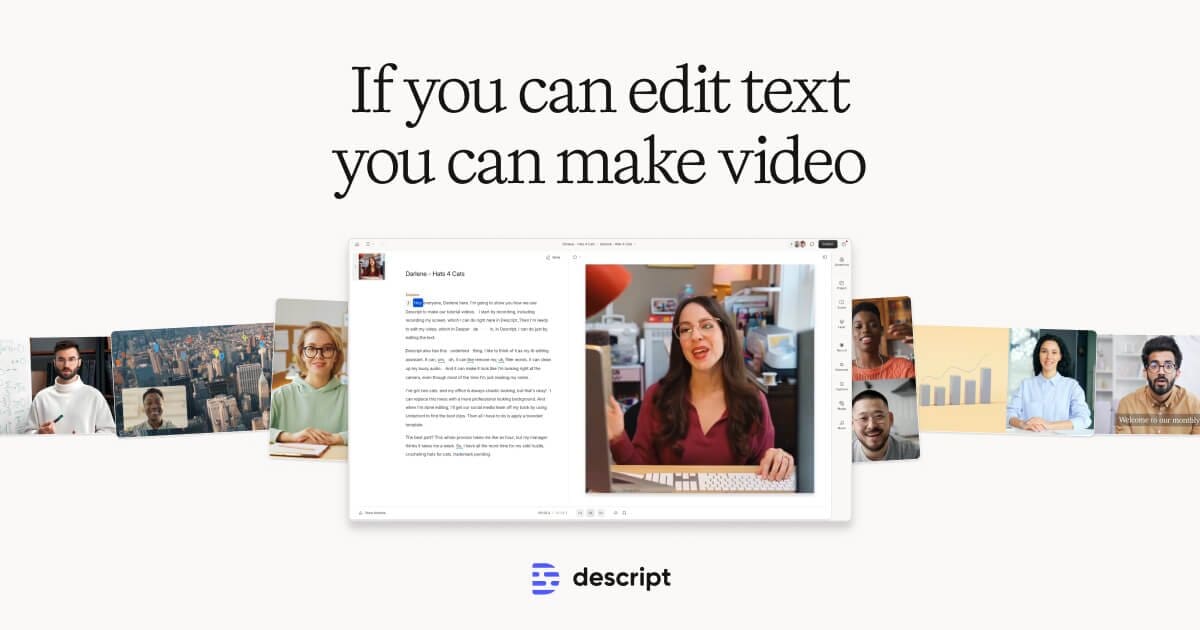
Descript is a super user-friendly tool that makes editing videos and podcasts as simple as editing a text document. Instead of wrestling with complex timelines and confusing controls, you just edit the automatically generated transcript, and your audio or video changes right along with it. It’s perfect for anyone who wants to create professional-looking content without needing years of experience or technical know-how.
Beyond just text-based editing, Descript is packed with smart AI features that handle the tedious parts of content creation for you. It can remove annoying filler words like "um" and "uh," improve your sound quality significantly, and even generate custom video clips or add captions automatically. This means you can focus more on your message and creativity, saving you tons of time and effort in the editing process.
📚 Key AI Concepts Explained:
1. Text-Based Editing: This revolutionary feature allows you to edit your video or audio by simply changing the words in a written transcript, making content creation incredibly intuitive.
2. AI Voice Cloning: The tool can learn your unique voice to generate new speech or seamlessly fix existing audio, ensuring all edits sound natural and perfectly integrated.
3. Generative AI for Visuals: You can use simple text prompts to create custom B-roll, animate static images, or even generate entire social media videos from scratch, adding a professional touch effortlessly.
📖 Words to Know:
1. Transcript: A written version of all the spoken words in your audio or video file, created automatically by Descript.
2. B-roll: Extra video footage used to provide visual context or break up talking segments, often generated by AI to match your script.
3. Filler Words: Unnecessary sounds or words like "um," "uh," and "like" that Descript's AI can magically detect and remove.
🎯 Imagine This:
Imagine editing your YouTube video by just deleting some unwanted sentences from a document, and the video magically cuts itself to match.
It’s like having a super smart assistant who can instantly polish your speech and find perfect visual clips for your podcast, all with a simple command.
🌟 Fun Fact About the Tool:
1. Descript's core idea of "text-based editing" began when its founder sought an easier way to edit his own podcast without complex software.
2. The "Underlord" AI assistant isn't just a cool name; it acts as your co-editor, taking text commands to transform your video project effortlessly.
3. Descript can even correct your eye contact in a video, making it seem like you’re looking directly at the camera even if you were reading a script.
✅ Pros:
1. Edits video and audio as easily as editing a text document.
2. Removes filler words and enhances audio quality automatically.
3. Includes powerful AI features for video generation and visual effects.
❌ Cons:
1. Can sometimes require a decent internet connection for cloud features.
2. New users might need a little time to adjust to the unique workflow.
3. More complex, professional-level video effects might be limited.
🧪 Use Cases:
1. Quickly editing podcast episodes by deleting words directly from the transcript.
2. Creating engaging YouTube videos with AI-generated B-roll and captions.
3. Producing professional screen recordings for tutorials or product demos.
💰 Pricing Breakdown:
Descript offers a free tier to get started, allowing users to experience its core features without any cost. For more advanced capabilities, specific pricing information was not readily available on the homepage, which typically means detailed plans are nested deeper within the site or enterprise solutions require contacting sales.
🌟 Real-World Examples:
1. A student can quickly trim their video presentation or add captions without needing complicated software, making their project look polished and professional.
2. A small business owner can create marketing videos for social media by simply typing out what they want to say and letting AI add relevant visuals automatically.
3. A content creator can easily repurpose long-form interviews into short, engaging clips for TikTok or Instagram, saving countless hours of manual editing.
💡 Initial Warnings:
1. Ensure you have a stable internet connection for optimal performance, especially when uploading large video or audio files.
2. While powerful, familiarize yourself with the unique text-based editing approach as it differs from traditional video editors.
3. Always review AI-generated content like transcriptions or visuals to ensure accuracy and alignment with your intended message.
🚀 Getting Started:
1. Visit the official Descript website at https://www.descript.com to begin your journey.
2. Click on the prominent "Get started for free" button to create your new account with an email address.
3. Download and install the Descript application on your computer to access all its powerful features.
4. Start a new project, record your content directly, or import an existing video or audio file.
5. Explore the intuitive text-based editor and AI tools to transform your raw content effortlessly.
6. Publish your polished creation directly to platforms or export it for sharing with your audience.
💡 Power-Ups:
1. Voice Cloning: For advanced users, clone your own voice to generate new speech, making it easy to correct mistakes or add new lines without ever having to re-record.
2. Templates and AI Avatars: Leverage Descript's professionally designed templates and create AI avatars from photos to produce consistent, high-quality content quickly and efficiently for your brand.
3. Collaborative Workflow: Utilize Descript's built-in team features to share projects, gather feedback, and work together on edits in real-time, streamlining production for larger teams.
🎯 Difficulty Score: 3/10 🤩 (Accessible)
Descript is surprisingly easy to pick up, especially for beginners who are often intimidated by traditional editing software. Its unique text-based editing makes usability a breeze, as editing feels as natural as working with a document. The benefits of automated tasks like filler word removal and sound enhancement are huge, requiring minimal technical skills to achieve professional results. While there's a slight learning curve to fully utilize all AI features, the enjoyment and efficiency gains far outweigh any initial hesitation, making it incredibly accessible for almost anyone.
⭐ Official AI-Driven Rating: 9/10
Descript earns a strong 9 out of 10 for its innovative approach and exceptional beginner-friendly design. We love how it completely reimagines video and podcast editing, making it accessible to virtually anyone who wants to create. Points are awarded generously for its intuitive text-based interface (+3), its powerful AI features like filler word removal and Studio Sound (+3), and its robust collaboration tools (+2), which truly enhance productivity. A minor point is deducted for the potential for a slight learning curve for those deeply embedded in traditional editors (-1), and the occasional need for manual review of AI-generated content for absolute perfection (-1). Overall, it's a game-changer for content creators.
🔎 DEEPER LOOK at Descript
🎯 Why Descript is a Game-Changer for Content Creators
Are you tired of spending endless hours trying to master complex video editing software, only to feel frustrated and overwhelmed? Descript is here to change that, offering a magical editing experience for content creators, podcasters, marketers, and anyone who wants to tell their story through audio and video without the headache. It’s like having a professional editor and AI assistant rolled into one, right at your fingertips, ready to transform your ideas into polished content.
Descript fundamentally transforms how you create by letting you edit your media just like you’d edit a text document. Imagine removing an "um" or a pause by simply deleting it from a transcript, and seeing your video instantly update! This genius approach helps you solve the problem of slow, technical editing, enabling you to create high-quality content smarter, not just faster, so your message shines through effortlessly and reaches your audience clearly.
Even seasoned professionals are increasingly ditching their old workflows for Descript's incredible efficiency, but its real power lies in empowering beginners and casual creators. It levels the playing field, allowing anyone to produce polished videos, engaging podcasts, and dynamic tutorials without needing a specialized team or years of training. With Descript, you can finally focus entirely on your amazing ideas and unleash your creativity, knowing all the tricky technical stuff is perfectly handled for you.
🔑 Key Features of Descript: In-Depth Breakdown
Feature 1: Text-Based Editing
Descript's absolute standout feature allows you to edit audio and video by simply editing its automatically generated transcript. This means instead of scrubbing through complex timelines and waveform graphs, you can just delete words, sentences, or even entire sections from the text document, and the corresponding media will be instantly removed or adjusted. This incredibly intuitive method makes editing feel natural and dramatically speeds up the entire post-production process, proving invaluable for anyone new to content creation.
Feature 2: AI Voice and Visual Tools
This powerful suite includes intelligent features like Studio Sound, which magically cleans up your audio, and Remove Filler Words, which automatically zaps all those annoying "ums" and "uhs." You can also leverage AI to correct eye contact in your videos, generate custom B-roll footage from text prompts, or even create a realistic AI voice clone of yourself for seamless edits. These smart tools save immense time and effort, ensuring your content looks and sounds incredibly professional even without expensive equipment or advanced skills.
Feature 3: Screen Recorder and Collaboration
Descript isn't just for editing existing media; it includes a robust built-in screen recorder to capture high-quality tutorials, presentations, or product demos effortlessly. What truly makes it shine for teams is its exceptional collaborative functionality, allowing multiple people to work on the same project simultaneously, leave comments, and track changes in real-time, just like a shared document. This ensures seamless teamwork and highly efficient content production, perfect for marketing teams, educational institutions, or growing creative agencies.
🚀 Real-World Case Studies Using Descript
Don’t just take our word for it. Here are a few real-world examples of how people are using Descript to do amazing things.
1. Podcaster Boosts Production: A solo podcaster struggled with long editing times, spending hours cutting silences and filler words from their weekly episodes. Using Descript, they could simply read through the transcript, delete unwanted segments with ease, and apply Studio Sound with a single click, dramatically reducing their editing time by 75% and allowing them to publish more episodes consistently and stress-free.
2. Small Business Creates Engaging Tutorials: A small business owner needed to create product tutorial videos but lacked video editing experience and a budget for professional editors. With Descript's integrated screen recorder and AI features, they easily recorded clear instructions, added dynamic captions automatically, and even generated custom B-roll visuals, resulting in professional-looking content that significantly boosted customer engagement and understanding of their product.
3. Educator Delivers Accessible Lectures: An online educator wanted to make their video lectures more engaging and accessible for students with diverse learning needs, but found traditional captioning cumbersome. Descript allowed them to quickly transcribe all lectures with high accuracy, add accurate captions with a single click, and easily edit out mistakes or add new information by just modifying the text, ensuring everyone could follow along effectively and improving learning outcomes.
❓ Frequently Asked Questions about Descript
1. What exactly is Descript and how does it make editing easier for beginners?
Descript is an AI-powered editor that lets you edit video and audio simply by editing a text transcript, making it incredibly intuitive. This revolutionary approach means you cut your media by cutting words, which is much faster and more accessible than traditional editing software for new users.
2. Does Descript offer a free version or a trial period for new users to try it out?
Yes, Descript offers a free tier that allows you to get started and explore its core features without any cost or commitment. This is a fantastic way to try out the unique text-based editing and many of its AI functionalities before deciding on a paid plan.
3. Can Descript help me create engaging content specifically for social media platforms like YouTube or TikTok?
Absolutely! Descript is excellent for social media content creation. You can easily create short, dynamic video clips, add engaging captions automatically, generate custom visuals, and even use AI to pick out the most viral moments from longer videos, making your content pop on any platform.
4. How does Descript ensure the quality and accuracy of its AI-generated content, such as transcriptions or voice clones?
Descript utilizes advanced AI models for features like transcription and voice generation, offering industry-leading accuracy. While highly reliable, it always provides straightforward options for users to easily review and make any necessary manual corrections, ensuring the final output perfectly matches their creative vision and quality standards.
5. What do I need to get started with Descript, and how complicated is the initial setup process?
Getting started with Descript is surprisingly straightforward; you simply sign up on their official website and download the application to your computer. You don't need any special or expensive hardware, just a standard computer and an internet connection, making the setup process quick and highly accessible for everyone, regardless of technical skill.
⚖️ Stay Safe:
The tools and information on this site are aggregated from community contributions and internet sources. We strongly recommend users independently verify all details, consult original resources for accuracy, and exercise caution. The information, including company profiles, pricing, rules, and structures, is based on current knowledge as of December 2025, and is subject to change at the discretion of the respective entities.
This site is provided "as-is" with no warranties, and no professional, financial, or legal advice is offered or implied. We disclaim all liability for errors, omissions, damages, or losses arising from the use of this information. This platform is intended to showcase tools for informational purposes only and does not endorse or advise on financial investments or decisions. Users must conduct their own due diligence (DYOR), verify the authenticity of tool websites to avoid phishing scams, and secure accounts with strong passwords and two-factor authentication.
AIC is not responsible for the performance, safety, outcomes, or risks associated with any listed tools. Some links on this site may be affiliate links, meaning we may earn a commission if you click and make a purchase, at no additional cost to you. Always research thoroughly, comply with local laws and regulations, and consult qualified financial or legal professionals before taking action to understand potential risks. Nothing herein constitutes professional advice, and all decisions are at the user’s sole discretion. This disclaimer is governed by the laws of St. Petersburg, Florida, USA.
🔗 Official Site: https://www.descript.com
🎥 Explainer Video: https://www.youtube.com/watch?v=G8jcK-qzwsg
🧑💻 AIC Contributor: AIC Community
🧩 Quick Look: AI video and podcast editing
Beginner Benefit: Edit video and audio like text
🌟 Descript 101:
Descript is a super user-friendly tool that makes editing videos and podcasts as simple as editing a text document. Instead of wrestling with complex timelines and confusing controls, you just edit the automatically generated transcript, and your audio or video changes right along with it. It’s perfect for anyone who wants to create professional-looking content without needing years of experience or technical know-how.
Beyond just text-based editing, Descript is packed with smart AI features that handle the tedious parts of content creation for you. It can remove annoying filler words like "um" and "uh," improve your sound quality significantly, and even generate custom video clips or add captions automatically. This means you can focus more on your message and creativity, saving you tons of time and effort in the editing process.
📚 Key AI Concepts Explained:
1. Text-Based Editing: This revolutionary feature allows you to edit your video or audio by simply changing the words in a written transcript, making content creation incredibly intuitive.
2. AI Voice Cloning: The tool can learn your unique voice to generate new speech or seamlessly fix existing audio, ensuring all edits sound natural and perfectly integrated.
3. Generative AI for Visuals: You can use simple text prompts to create custom B-roll, animate static images, or even generate entire social media videos from scratch, adding a professional touch effortlessly.
📖 Words to Know:
1. Transcript: A written version of all the spoken words in your audio or video file, created automatically by Descript.
2. B-roll: Extra video footage used to provide visual context or break up talking segments, often generated by AI to match your script.
3. Filler Words: Unnecessary sounds or words like "um," "uh," and "like" that Descript's AI can magically detect and remove.
🎯 Imagine This:
Imagine editing your YouTube video by just deleting some unwanted sentences from a document, and the video magically cuts itself to match.
It’s like having a super smart assistant who can instantly polish your speech and find perfect visual clips for your podcast, all with a simple command.
🌟 Fun Fact About the Tool:
1. Descript's core idea of "text-based editing" began when its founder sought an easier way to edit his own podcast without complex software.
2. The "Underlord" AI assistant isn't just a cool name; it acts as your co-editor, taking text commands to transform your video project effortlessly.
3. Descript can even correct your eye contact in a video, making it seem like you’re looking directly at the camera even if you were reading a script.
✅ Pros:
1. Edits video and audio as easily as editing a text document.
2. Removes filler words and enhances audio quality automatically.
3. Includes powerful AI features for video generation and visual effects.
❌ Cons:
1. Can sometimes require a decent internet connection for cloud features.
2. New users might need a little time to adjust to the unique workflow.
3. More complex, professional-level video effects might be limited.
🧪 Use Cases:
1. Quickly editing podcast episodes by deleting words directly from the transcript.
2. Creating engaging YouTube videos with AI-generated B-roll and captions.
3. Producing professional screen recordings for tutorials or product demos.
💰 Pricing Breakdown:
Descript offers a free tier to get started, allowing users to experience its core features without any cost. For more advanced capabilities, specific pricing information was not readily available on the homepage, which typically means detailed plans are nested deeper within the site or enterprise solutions require contacting sales.
🌟 Real-World Examples:
1. A student can quickly trim their video presentation or add captions without needing complicated software, making their project look polished and professional.
2. A small business owner can create marketing videos for social media by simply typing out what they want to say and letting AI add relevant visuals automatically.
3. A content creator can easily repurpose long-form interviews into short, engaging clips for TikTok or Instagram, saving countless hours of manual editing.
💡 Initial Warnings:
1. Ensure you have a stable internet connection for optimal performance, especially when uploading large video or audio files.
2. While powerful, familiarize yourself with the unique text-based editing approach as it differs from traditional video editors.
3. Always review AI-generated content like transcriptions or visuals to ensure accuracy and alignment with your intended message.
🚀 Getting Started:
1. Visit the official Descript website at https://www.descript.com to begin your journey.
2. Click on the prominent "Get started for free" button to create your new account with an email address.
3. Download and install the Descript application on your computer to access all its powerful features.
4. Start a new project, record your content directly, or import an existing video or audio file.
5. Explore the intuitive text-based editor and AI tools to transform your raw content effortlessly.
6. Publish your polished creation directly to platforms or export it for sharing with your audience.
💡 Power-Ups:
1. Voice Cloning: For advanced users, clone your own voice to generate new speech, making it easy to correct mistakes or add new lines without ever having to re-record.
2. Templates and AI Avatars: Leverage Descript's professionally designed templates and create AI avatars from photos to produce consistent, high-quality content quickly and efficiently for your brand.
3. Collaborative Workflow: Utilize Descript's built-in team features to share projects, gather feedback, and work together on edits in real-time, streamlining production for larger teams.
🎯 Difficulty Score: 3/10 🤩 (Accessible)
Descript is surprisingly easy to pick up, especially for beginners who are often intimidated by traditional editing software. Its unique text-based editing makes usability a breeze, as editing feels as natural as working with a document. The benefits of automated tasks like filler word removal and sound enhancement are huge, requiring minimal technical skills to achieve professional results. While there's a slight learning curve to fully utilize all AI features, the enjoyment and efficiency gains far outweigh any initial hesitation, making it incredibly accessible for almost anyone.
⭐ Official AI-Driven Rating: 9/10
Descript earns a strong 9 out of 10 for its innovative approach and exceptional beginner-friendly design. We love how it completely reimagines video and podcast editing, making it accessible to virtually anyone who wants to create. Points are awarded generously for its intuitive text-based interface (+3), its powerful AI features like filler word removal and Studio Sound (+3), and its robust collaboration tools (+2), which truly enhance productivity. A minor point is deducted for the potential for a slight learning curve for those deeply embedded in traditional editors (-1), and the occasional need for manual review of AI-generated content for absolute perfection (-1). Overall, it's a game-changer for content creators.
🔎 DEEPER LOOK at Descript
🎯 Why Descript is a Game-Changer for Content Creators
Are you tired of spending endless hours trying to master complex video editing software, only to feel frustrated and overwhelmed? Descript is here to change that, offering a magical editing experience for content creators, podcasters, marketers, and anyone who wants to tell their story through audio and video without the headache. It’s like having a professional editor and AI assistant rolled into one, right at your fingertips, ready to transform your ideas into polished content.
Descript fundamentally transforms how you create by letting you edit your media just like you’d edit a text document. Imagine removing an "um" or a pause by simply deleting it from a transcript, and seeing your video instantly update! This genius approach helps you solve the problem of slow, technical editing, enabling you to create high-quality content smarter, not just faster, so your message shines through effortlessly and reaches your audience clearly.
Even seasoned professionals are increasingly ditching their old workflows for Descript's incredible efficiency, but its real power lies in empowering beginners and casual creators. It levels the playing field, allowing anyone to produce polished videos, engaging podcasts, and dynamic tutorials without needing a specialized team or years of training. With Descript, you can finally focus entirely on your amazing ideas and unleash your creativity, knowing all the tricky technical stuff is perfectly handled for you.
🔑 Key Features of Descript: In-Depth Breakdown
Feature 1: Text-Based Editing
Descript's absolute standout feature allows you to edit audio and video by simply editing its automatically generated transcript. This means instead of scrubbing through complex timelines and waveform graphs, you can just delete words, sentences, or even entire sections from the text document, and the corresponding media will be instantly removed or adjusted. This incredibly intuitive method makes editing feel natural and dramatically speeds up the entire post-production process, proving invaluable for anyone new to content creation.
Feature 2: AI Voice and Visual Tools
This powerful suite includes intelligent features like Studio Sound, which magically cleans up your audio, and Remove Filler Words, which automatically zaps all those annoying "ums" and "uhs." You can also leverage AI to correct eye contact in your videos, generate custom B-roll footage from text prompts, or even create a realistic AI voice clone of yourself for seamless edits. These smart tools save immense time and effort, ensuring your content looks and sounds incredibly professional even without expensive equipment or advanced skills.
Feature 3: Screen Recorder and Collaboration
Descript isn't just for editing existing media; it includes a robust built-in screen recorder to capture high-quality tutorials, presentations, or product demos effortlessly. What truly makes it shine for teams is its exceptional collaborative functionality, allowing multiple people to work on the same project simultaneously, leave comments, and track changes in real-time, just like a shared document. This ensures seamless teamwork and highly efficient content production, perfect for marketing teams, educational institutions, or growing creative agencies.
🚀 Real-World Case Studies Using Descript
Don’t just take our word for it. Here are a few real-world examples of how people are using Descript to do amazing things.
1. Podcaster Boosts Production: A solo podcaster struggled with long editing times, spending hours cutting silences and filler words from their weekly episodes. Using Descript, they could simply read through the transcript, delete unwanted segments with ease, and apply Studio Sound with a single click, dramatically reducing their editing time by 75% and allowing them to publish more episodes consistently and stress-free.
2. Small Business Creates Engaging Tutorials: A small business owner needed to create product tutorial videos but lacked video editing experience and a budget for professional editors. With Descript's integrated screen recorder and AI features, they easily recorded clear instructions, added dynamic captions automatically, and even generated custom B-roll visuals, resulting in professional-looking content that significantly boosted customer engagement and understanding of their product.
3. Educator Delivers Accessible Lectures: An online educator wanted to make their video lectures more engaging and accessible for students with diverse learning needs, but found traditional captioning cumbersome. Descript allowed them to quickly transcribe all lectures with high accuracy, add accurate captions with a single click, and easily edit out mistakes or add new information by just modifying the text, ensuring everyone could follow along effectively and improving learning outcomes.
❓ Frequently Asked Questions about Descript
1. What exactly is Descript and how does it make editing easier for beginners?
Descript is an AI-powered editor that lets you edit video and audio simply by editing a text transcript, making it incredibly intuitive. This revolutionary approach means you cut your media by cutting words, which is much faster and more accessible than traditional editing software for new users.
2. Does Descript offer a free version or a trial period for new users to try it out?
Yes, Descript offers a free tier that allows you to get started and explore its core features without any cost or commitment. This is a fantastic way to try out the unique text-based editing and many of its AI functionalities before deciding on a paid plan.
3. Can Descript help me create engaging content specifically for social media platforms like YouTube or TikTok?
Absolutely! Descript is excellent for social media content creation. You can easily create short, dynamic video clips, add engaging captions automatically, generate custom visuals, and even use AI to pick out the most viral moments from longer videos, making your content pop on any platform.
4. How does Descript ensure the quality and accuracy of its AI-generated content, such as transcriptions or voice clones?
Descript utilizes advanced AI models for features like transcription and voice generation, offering industry-leading accuracy. While highly reliable, it always provides straightforward options for users to easily review and make any necessary manual corrections, ensuring the final output perfectly matches their creative vision and quality standards.
5. What do I need to get started with Descript, and how complicated is the initial setup process?
Getting started with Descript is surprisingly straightforward; you simply sign up on their official website and download the application to your computer. You don't need any special or expensive hardware, just a standard computer and an internet connection, making the setup process quick and highly accessible for everyone, regardless of technical skill.
⚖️ Stay Safe:
The tools and information on this site are aggregated from community contributions and internet sources. We strongly recommend users independently verify all details, consult original resources for accuracy, and exercise caution. The information, including company profiles, pricing, rules, and structures, is based on current knowledge as of December 2025, and is subject to change at the discretion of the respective entities.
This site is provided "as-is" with no warranties, and no professional, financial, or legal advice is offered or implied. We disclaim all liability for errors, omissions, damages, or losses arising from the use of this information. This platform is intended to showcase tools for informational purposes only and does not endorse or advise on financial investments or decisions. Users must conduct their own due diligence (DYOR), verify the authenticity of tool websites to avoid phishing scams, and secure accounts with strong passwords and two-factor authentication.
AIC is not responsible for the performance, safety, outcomes, or risks associated with any listed tools. Some links on this site may be affiliate links, meaning we may earn a commission if you click and make a purchase, at no additional cost to you. Always research thoroughly, comply with local laws and regulations, and consult qualified financial or legal professionals before taking action to understand potential risks. Nothing herein constitutes professional advice, and all decisions are at the user’s sole discretion. This disclaimer is governed by the laws of St. Petersburg, Florida, USA.

Not Rated Yet