

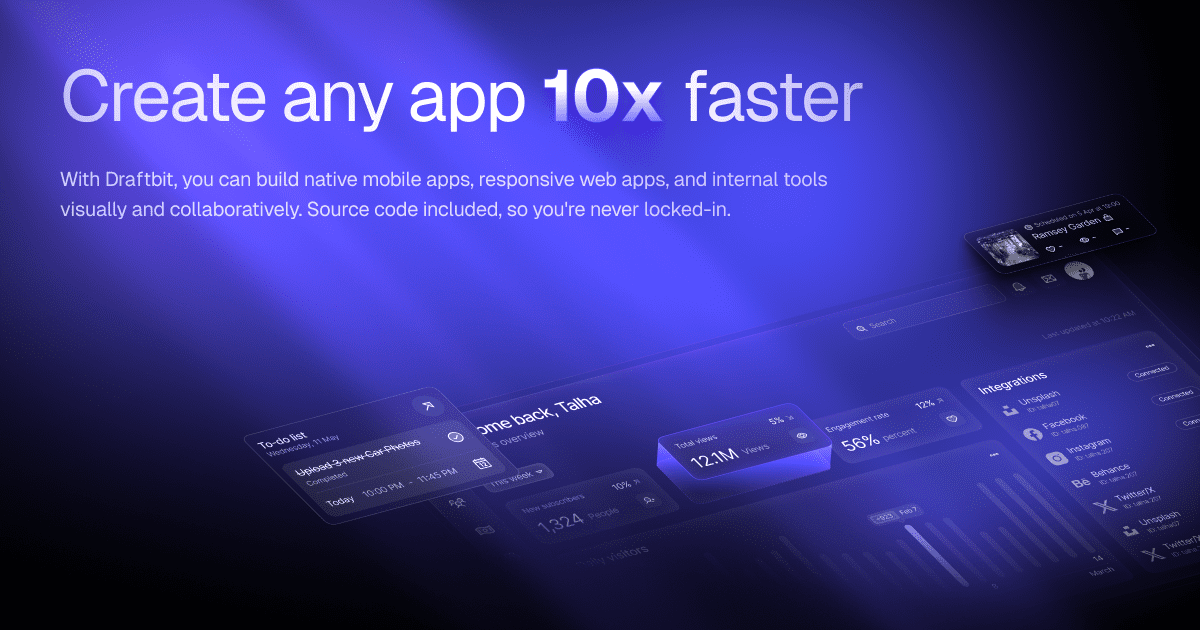
Draftbit
📘 Tool Name: Draftbit
🔗 Official Site: https://draftbit.com
🎥 Explainer Video: https://www.youtube.com/watch?v=B43wTslvm0g
🧑💻 AIC Contributor: AIC Community
🧩 Quick Look: Visually build native mobile apps, fast.
Beginner Benefit: Create apps without complex coding.
🌟 Draftbit 101:
Draftbit is like a digital LEGO set for building mobile apps, allowing you to visually design and create applications without writing tons of complicated code. You simply drag and drop different components onto your screen to craft the app's look and feel, making the process much more intuitive than traditional programming. This platform empowers you to quickly turn your mobile app ideas into reality, whether it's for iOS or Android devices.
What makes Draftbit stand out is its ability to not only help you build visually but also to provide the actual, clean code behind your app. This means you maintain full ownership and control over your project, avoiding the common "lock-in" issue found with many other visual builders. With AI assistance and expert support, you're never truly alone in your app-building journey.
📚 Key AI Concepts Explained:
1. AI-Powered Assistance: This feature uses artificial intelligence to help you build your app faster, often by suggesting code snippets or design elements.
2. Visual Development: This refers to building applications by arranging pre-made visual components rather than writing lines of text-based code.
3. Code Generation: The process where the visual design tool automatically writes the underlying programming code for your application.
📖 Words to Know:
1. No-code: Building software using visual tools without writing traditional programming code.
2. Native Mobile App: An application made specifically for a device's operating system, like iOS or Android.
3. User Interface (UI): The visual parts of an app that users interact with directly.
🎯 Imagine This:
Imagine building a custom house using pre-made walls and rooms, instead of laying every brick yourself.
It's like having a super-smart assistant who helps you assemble a complex puzzle in record time.
🌟 Fun Fact About the Tool:
1. Draftbit is specifically designed for building *native* mobile apps, which means they often run smoother and feel more integrated than web-based apps.
2. The platform emphasizes "full code export," giving users complete ownership and flexibility over their app's underlying programming.
3. Draftbit offers human expert support, recognizing that even with AI, a friendly face can make a big difference in app development.
✅ Pros:
1. Visually design app interfaces quickly and easily.
2. Exports clean, production-ready source code anytime.
3. Offers expert human support when you really need it.
❌ Cons:
1. Might have a learning curve for deeply complex features.
2. Customization beyond visual tools could require code knowledge.
3. Some advanced integrations might need extra technical understanding.
🧪 Use Cases:
1. Small businesses creating custom loyalty applications.
2. Entrepreneurs quickly prototyping new app ideas.
3. Content creators launching a dedicated fan engagement app.
💰 Pricing Breakdown:
Draftbit offers a "Start for free!" option to get acquainted with the platform. For those looking for structured support, the "Launch Guarantee Program" is available for a fixed price of $500, including step-by-step guidance and 1-on-1 support. Additionally, "Draftbit Experts" can be hired for project acceleration, starting at $500/month for dedicated human assistance.
🌟 Real-World Examples:
1. A local café owner uses Draftbit to build a simple mobile app for their customers to order ahead and earn loyalty points, boosting sales and customer retention.
2. A budding student entrepreneur creates a prototype app for their innovative study buddy matching service, easily showcasing their idea to potential investors.
3. An independent musician develops a personalized fan app, allowing listeners exclusive access to new music, tour dates, and direct messaging.
💡 Initial Warnings:
1. Understand that while "no-code" makes building easier, understanding app logic and design principles is still beneficial for great results.
2. Be prepared to invest time in learning the platform's visual builder, even with its intuitive drag-and-drop interface, to maximize its potential.
3. Carefully review the different support and program options to choose what best fits your project's scope and budget for optimal success.
🚀 Getting Started:
1. Visit the official Draftbit website at https://draftbit.com to begin your journey.
2. Click on "Get Started" or "Start for free!" to create your new account easily.
3. Explore the visual app builder and familiarize yourself with its powerful features.
4. Begin a new project, dragging and dropping components to build your app's interface.
5. Preview your app instantly to see your creations come to life.
6. Publish your app or export the full code when you're ready to launch.
💡 Power-Ups:
1. Leverage the "Full Code Export" feature to customize your app with traditional code, extending capabilities beyond visual tools for unique functionalities.
2. Utilize the "Draftbit Experts" service for personalized guidance on complex integrations or architectural decisions, accelerating your project development.
3. Deep dive into "Advanced Logic" workflows to create highly interactive and dynamic app experiences, making your app truly stand out.
🎯 Difficulty Score: 4/10 🤩 (Accessible)
Draftbit scores a 4 out of 10 for difficulty, making it quite accessible for beginners, especially those familiar with visual editors. The usability is high thanks to its drag-and-drop interface, greatly reducing the barrier to entry for mobile app development. Enjoyment comes from seeing your app ideas quickly take shape, offering immediate visual feedback on your progress. While the basic functions are easy, diving into more advanced logic or custom code will require some foundational understanding. Overall, the benefits of quickly launching a native app heavily outweigh the mild learning curve, empowering users to create without extensive coding skills.
⭐ Official AI-Driven Rating: 8/10
Draftbit earns a strong 8 out of 10 in our official AI-driven rating, marking it as a highly recommended tool for aspiring app builders. We appreciate its powerful visual builder, which makes the complex task of app creation feel intuitive and manageable for newcomers. The ability to export clean, production-ready code is a huge plus, giving users true ownership and flexibility, a rare gem in the no-code space (+2 points). However, we deduct a point for the potential learning curve when integrating advanced features or external APIs, which might still require some technical thinking (-1 point). Additionally, while the free tier allows exploration, accessing expert support or the full launch guarantee comes with an additional cost, which could be a hurdle for some absolute beginners (-1 point). Overall, Draftbit provides an excellent balance of ease of use, robust functionality, and critical ownership, making it a fantastic choice.
🔎 DEEPER LOOK at Draftbit
🎯 Why Draftbit is a Game-Changer for Aspiring App Creators
Are you dreaming of launching your very own mobile app but feel intimidated by the complex world of coding? Then Draftbit is exactly what you've been waiting for! It’s an incredible platform specifically designed for content creators, small business owners, students, and anyone with a brilliant app idea who wants to bring it to life without becoming a seasoned developer overnight. Imagine turning your vision into a real, functional app that works perfectly on iPhones and Android devices, all by simply dragging and dropping elements.
Draftbit helps this audience by tackling the biggest hurdle in app development: the code itself. Instead of spending months learning programming languages, you can focus on the design and functionality of your app. It’s like having a superpower that lets you build smarter, not just faster, by providing intuitive visual tools. You can create beautiful user interfaces, integrate with various services, and even get AI assistance to speed things up, solving the problem of needing deep technical expertise or a huge budget.
Even seasoned professionals can appreciate Draftbit's efficiency for rapid prototyping or quick project launches, but its true magic lies in empowering beginners. It levels the playing field, allowing anyone to build and publish a high-quality native mobile app. This means you can pour all your energy into your creative vision and what your app will *do*, rather than getting bogged down by the technical nitty-gritty.
🔑 Key Features of Draftbit: In-Depth Breakdown
Feature 1: Visual App Builder
Draftbit’s Visual App Builder is like your digital canvas for creating mobile apps. Instead of writing code, you drag and drop pre-made components such as buttons, text fields, images, and navigation menus directly onto your app screen. This visual approach allows you to instantly see how your app will look and feel, making design changes incredibly intuitive. It’s valuable because it democratizes app development, enabling anyone, regardless of coding experience, to craft stunning and functional user interfaces quickly. Imagine building an entire app layout in minutes, just by moving pieces around.
Feature 2: AI-Powered Assistance
The AI-Powered Assistance in Draftbit acts as your smart co-pilot, helping you accelerate your app development process. This feature can suggest design elements, help you with complex logic, or even generate code snippets when you need to dive a little deeper. It’s designed to leap over technical hurdles and build faster, effectively reducing the time and effort required to implement certain features. For example, if you're stuck on how to integrate a specific backend service, the AI might offer guidance or code to get you started, saving you hours of research.
Feature 3: Full Code Export
One of Draftbit’s standout features is the Full Code Export, which allows you to download the complete, clean, and production-ready source code of your mobile application at any time. This means you’re never "locked in" to the Draftbit platform; you own your code entirely. It's incredibly valuable for users who might want to extend their app with custom code, hand it off to a traditional developer, or simply have the peace of mind of full ownership. This feature ensures that your creativity and hard work are truly yours, offering unparalleled flexibility and control over your project's future.
🚀 Real-World Case Studies Using Draftbit
Don’t just take our word for it. Here are a few real-world examples of how people are using Draftbit to do amazing things.
1. A local food truck owner, frustrated with high commission fees from third-party delivery apps, decided to build their own ordering app using Draftbit. This allowed them to directly connect with customers, offer special deals, and manage orders efficiently, significantly boosting their profit margins and brand loyalty.
2. An independent art gallery wanted to create an immersive experience for visitors, offering digital guides and augmented reality features for their exhibitions. Using Draftbit, they quickly developed a native mobile app that provided detailed artwork information and interactive virtual tours, making art more accessible and engaging for everyone.
3. A community group aimed to simplify event organization and communication among members. They utilized Draftbit to build a custom app where members could view upcoming events, RSVP, and chat, fostering a stronger, more connected community without the need for complex, off-the-shelf solutions.
❓ Frequently Asked Questions about Draftbit
1. What exactly is Draftbit and who is it for?
Draftbit is a powerful platform that lets you visually build native mobile apps for iOS and Android without writing extensive code. It's perfect for entrepreneurs, small businesses, content creators, and anyone who wants to quickly turn an app idea into a real product. It simplifies app development for those new to the tech space.
2. Is there a free version of Draftbit, and how much does it cost?
Yes, you can "Start for free!" to explore Draftbit's capabilities and begin building. For more structured support, there's a "Launch Guarantee Program" for $500, and "Draftbit Experts" are available for hire starting at $500/month for dedicated assistance.
3. Can I really build complex apps without coding experience?
Absolutely! Draftbit's visual builder allows you to drag and drop components to design your app's interface and logic. While complex features might benefit from understanding app concepts, you can build very sophisticated applications without writing traditional code, especially with the AI assistance and expert support available.
4. What about data safety and ownership of my app?
Draftbit ensures you have full code ownership by allowing you to export clean, production-ready source code at any time. This means you control your app's future and aren't locked into the platform. For data safety, ensure you follow best practices for integrating external services securely.
5. What do I need to get started with Draftbit?
All you need is an internet connection and a web browser to sign up for a free account on their official website. You can then immediately begin exploring the visual builder and start creating your first mobile app without needing any special software installations or prior coding knowledge.
⚖️ Stay Safe:
The tools and information on this site are aggregated from community contributions and internet sources. We strongly recommend users independently verify all details, consult original resources for accuracy, and exercise caution. The information, including company profiles, pricing, rules, and structures, is based on current knowledge as of December 2025, and is subject to change at the discretion of the respective entities.
This site is provided "as-is" with no warranties, and no professional, financial, or legal advice is offered or implied. We disclaim all liability for errors, omissions, damages, or losses arising from the use of this information. This platform is intended to showcase tools for informational purposes only and does not endorse or advise on financial investments or decisions. Users must conduct their own due diligence (DYOR), verify the authenticity of tool websites to avoid phishing scams, and secure accounts with strong passwords and two-factor authentication.
AIC is not responsible for the performance, safety, outcomes, or risks associated with any listed tools. Some links on this site may be affiliate links, meaning we may earn a commission if you click and make a purchase, at no additional cost to you. Always research thoroughly, comply with local laws and regulations, and consult qualified financial or legal professionals before taking action to understand potential risks. Nothing herein constitutes professional advice, and all decisions are at the user’s sole discretion. This disclaimer is governed by the laws of St. Petersburg, Florida, USA.
🔗 Official Site: https://draftbit.com
🎥 Explainer Video: https://www.youtube.com/watch?v=B43wTslvm0g
🧑💻 AIC Contributor: AIC Community
🧩 Quick Look: Visually build native mobile apps, fast.
Beginner Benefit: Create apps without complex coding.
🌟 Draftbit 101:
Draftbit is like a digital LEGO set for building mobile apps, allowing you to visually design and create applications without writing tons of complicated code. You simply drag and drop different components onto your screen to craft the app's look and feel, making the process much more intuitive than traditional programming. This platform empowers you to quickly turn your mobile app ideas into reality, whether it's for iOS or Android devices.
What makes Draftbit stand out is its ability to not only help you build visually but also to provide the actual, clean code behind your app. This means you maintain full ownership and control over your project, avoiding the common "lock-in" issue found with many other visual builders. With AI assistance and expert support, you're never truly alone in your app-building journey.
📚 Key AI Concepts Explained:
1. AI-Powered Assistance: This feature uses artificial intelligence to help you build your app faster, often by suggesting code snippets or design elements.
2. Visual Development: This refers to building applications by arranging pre-made visual components rather than writing lines of text-based code.
3. Code Generation: The process where the visual design tool automatically writes the underlying programming code for your application.
📖 Words to Know:
1. No-code: Building software using visual tools without writing traditional programming code.
2. Native Mobile App: An application made specifically for a device's operating system, like iOS or Android.
3. User Interface (UI): The visual parts of an app that users interact with directly.
🎯 Imagine This:
Imagine building a custom house using pre-made walls and rooms, instead of laying every brick yourself.
It's like having a super-smart assistant who helps you assemble a complex puzzle in record time.
🌟 Fun Fact About the Tool:
1. Draftbit is specifically designed for building *native* mobile apps, which means they often run smoother and feel more integrated than web-based apps.
2. The platform emphasizes "full code export," giving users complete ownership and flexibility over their app's underlying programming.
3. Draftbit offers human expert support, recognizing that even with AI, a friendly face can make a big difference in app development.
✅ Pros:
1. Visually design app interfaces quickly and easily.
2. Exports clean, production-ready source code anytime.
3. Offers expert human support when you really need it.
❌ Cons:
1. Might have a learning curve for deeply complex features.
2. Customization beyond visual tools could require code knowledge.
3. Some advanced integrations might need extra technical understanding.
🧪 Use Cases:
1. Small businesses creating custom loyalty applications.
2. Entrepreneurs quickly prototyping new app ideas.
3. Content creators launching a dedicated fan engagement app.
💰 Pricing Breakdown:
Draftbit offers a "Start for free!" option to get acquainted with the platform. For those looking for structured support, the "Launch Guarantee Program" is available for a fixed price of $500, including step-by-step guidance and 1-on-1 support. Additionally, "Draftbit Experts" can be hired for project acceleration, starting at $500/month for dedicated human assistance.
🌟 Real-World Examples:
1. A local café owner uses Draftbit to build a simple mobile app for their customers to order ahead and earn loyalty points, boosting sales and customer retention.
2. A budding student entrepreneur creates a prototype app for their innovative study buddy matching service, easily showcasing their idea to potential investors.
3. An independent musician develops a personalized fan app, allowing listeners exclusive access to new music, tour dates, and direct messaging.
💡 Initial Warnings:
1. Understand that while "no-code" makes building easier, understanding app logic and design principles is still beneficial for great results.
2. Be prepared to invest time in learning the platform's visual builder, even with its intuitive drag-and-drop interface, to maximize its potential.
3. Carefully review the different support and program options to choose what best fits your project's scope and budget for optimal success.
🚀 Getting Started:
1. Visit the official Draftbit website at https://draftbit.com to begin your journey.
2. Click on "Get Started" or "Start for free!" to create your new account easily.
3. Explore the visual app builder and familiarize yourself with its powerful features.
4. Begin a new project, dragging and dropping components to build your app's interface.
5. Preview your app instantly to see your creations come to life.
6. Publish your app or export the full code when you're ready to launch.
💡 Power-Ups:
1. Leverage the "Full Code Export" feature to customize your app with traditional code, extending capabilities beyond visual tools for unique functionalities.
2. Utilize the "Draftbit Experts" service for personalized guidance on complex integrations or architectural decisions, accelerating your project development.
3. Deep dive into "Advanced Logic" workflows to create highly interactive and dynamic app experiences, making your app truly stand out.
🎯 Difficulty Score: 4/10 🤩 (Accessible)
Draftbit scores a 4 out of 10 for difficulty, making it quite accessible for beginners, especially those familiar with visual editors. The usability is high thanks to its drag-and-drop interface, greatly reducing the barrier to entry for mobile app development. Enjoyment comes from seeing your app ideas quickly take shape, offering immediate visual feedback on your progress. While the basic functions are easy, diving into more advanced logic or custom code will require some foundational understanding. Overall, the benefits of quickly launching a native app heavily outweigh the mild learning curve, empowering users to create without extensive coding skills.
⭐ Official AI-Driven Rating: 8/10
Draftbit earns a strong 8 out of 10 in our official AI-driven rating, marking it as a highly recommended tool for aspiring app builders. We appreciate its powerful visual builder, which makes the complex task of app creation feel intuitive and manageable for newcomers. The ability to export clean, production-ready code is a huge plus, giving users true ownership and flexibility, a rare gem in the no-code space (+2 points). However, we deduct a point for the potential learning curve when integrating advanced features or external APIs, which might still require some technical thinking (-1 point). Additionally, while the free tier allows exploration, accessing expert support or the full launch guarantee comes with an additional cost, which could be a hurdle for some absolute beginners (-1 point). Overall, Draftbit provides an excellent balance of ease of use, robust functionality, and critical ownership, making it a fantastic choice.
🔎 DEEPER LOOK at Draftbit
🎯 Why Draftbit is a Game-Changer for Aspiring App Creators
Are you dreaming of launching your very own mobile app but feel intimidated by the complex world of coding? Then Draftbit is exactly what you've been waiting for! It’s an incredible platform specifically designed for content creators, small business owners, students, and anyone with a brilliant app idea who wants to bring it to life without becoming a seasoned developer overnight. Imagine turning your vision into a real, functional app that works perfectly on iPhones and Android devices, all by simply dragging and dropping elements.
Draftbit helps this audience by tackling the biggest hurdle in app development: the code itself. Instead of spending months learning programming languages, you can focus on the design and functionality of your app. It’s like having a superpower that lets you build smarter, not just faster, by providing intuitive visual tools. You can create beautiful user interfaces, integrate with various services, and even get AI assistance to speed things up, solving the problem of needing deep technical expertise or a huge budget.
Even seasoned professionals can appreciate Draftbit's efficiency for rapid prototyping or quick project launches, but its true magic lies in empowering beginners. It levels the playing field, allowing anyone to build and publish a high-quality native mobile app. This means you can pour all your energy into your creative vision and what your app will *do*, rather than getting bogged down by the technical nitty-gritty.
🔑 Key Features of Draftbit: In-Depth Breakdown
Feature 1: Visual App Builder
Draftbit’s Visual App Builder is like your digital canvas for creating mobile apps. Instead of writing code, you drag and drop pre-made components such as buttons, text fields, images, and navigation menus directly onto your app screen. This visual approach allows you to instantly see how your app will look and feel, making design changes incredibly intuitive. It’s valuable because it democratizes app development, enabling anyone, regardless of coding experience, to craft stunning and functional user interfaces quickly. Imagine building an entire app layout in minutes, just by moving pieces around.
Feature 2: AI-Powered Assistance
The AI-Powered Assistance in Draftbit acts as your smart co-pilot, helping you accelerate your app development process. This feature can suggest design elements, help you with complex logic, or even generate code snippets when you need to dive a little deeper. It’s designed to leap over technical hurdles and build faster, effectively reducing the time and effort required to implement certain features. For example, if you're stuck on how to integrate a specific backend service, the AI might offer guidance or code to get you started, saving you hours of research.
Feature 3: Full Code Export
One of Draftbit’s standout features is the Full Code Export, which allows you to download the complete, clean, and production-ready source code of your mobile application at any time. This means you’re never "locked in" to the Draftbit platform; you own your code entirely. It's incredibly valuable for users who might want to extend their app with custom code, hand it off to a traditional developer, or simply have the peace of mind of full ownership. This feature ensures that your creativity and hard work are truly yours, offering unparalleled flexibility and control over your project's future.
🚀 Real-World Case Studies Using Draftbit
Don’t just take our word for it. Here are a few real-world examples of how people are using Draftbit to do amazing things.
1. A local food truck owner, frustrated with high commission fees from third-party delivery apps, decided to build their own ordering app using Draftbit. This allowed them to directly connect with customers, offer special deals, and manage orders efficiently, significantly boosting their profit margins and brand loyalty.
2. An independent art gallery wanted to create an immersive experience for visitors, offering digital guides and augmented reality features for their exhibitions. Using Draftbit, they quickly developed a native mobile app that provided detailed artwork information and interactive virtual tours, making art more accessible and engaging for everyone.
3. A community group aimed to simplify event organization and communication among members. They utilized Draftbit to build a custom app where members could view upcoming events, RSVP, and chat, fostering a stronger, more connected community without the need for complex, off-the-shelf solutions.
❓ Frequently Asked Questions about Draftbit
1. What exactly is Draftbit and who is it for?
Draftbit is a powerful platform that lets you visually build native mobile apps for iOS and Android without writing extensive code. It's perfect for entrepreneurs, small businesses, content creators, and anyone who wants to quickly turn an app idea into a real product. It simplifies app development for those new to the tech space.
2. Is there a free version of Draftbit, and how much does it cost?
Yes, you can "Start for free!" to explore Draftbit's capabilities and begin building. For more structured support, there's a "Launch Guarantee Program" for $500, and "Draftbit Experts" are available for hire starting at $500/month for dedicated assistance.
3. Can I really build complex apps without coding experience?
Absolutely! Draftbit's visual builder allows you to drag and drop components to design your app's interface and logic. While complex features might benefit from understanding app concepts, you can build very sophisticated applications without writing traditional code, especially with the AI assistance and expert support available.
4. What about data safety and ownership of my app?
Draftbit ensures you have full code ownership by allowing you to export clean, production-ready source code at any time. This means you control your app's future and aren't locked into the platform. For data safety, ensure you follow best practices for integrating external services securely.
5. What do I need to get started with Draftbit?
All you need is an internet connection and a web browser to sign up for a free account on their official website. You can then immediately begin exploring the visual builder and start creating your first mobile app without needing any special software installations or prior coding knowledge.
⚖️ Stay Safe:
The tools and information on this site are aggregated from community contributions and internet sources. We strongly recommend users independently verify all details, consult original resources for accuracy, and exercise caution. The information, including company profiles, pricing, rules, and structures, is based on current knowledge as of December 2025, and is subject to change at the discretion of the respective entities.
This site is provided "as-is" with no warranties, and no professional, financial, or legal advice is offered or implied. We disclaim all liability for errors, omissions, damages, or losses arising from the use of this information. This platform is intended to showcase tools for informational purposes only and does not endorse or advise on financial investments or decisions. Users must conduct their own due diligence (DYOR), verify the authenticity of tool websites to avoid phishing scams, and secure accounts with strong passwords and two-factor authentication.
AIC is not responsible for the performance, safety, outcomes, or risks associated with any listed tools. Some links on this site may be affiliate links, meaning we may earn a commission if you click and make a purchase, at no additional cost to you. Always research thoroughly, comply with local laws and regulations, and consult qualified financial or legal professionals before taking action to understand potential risks. Nothing herein constitutes professional advice, and all decisions are at the user’s sole discretion. This disclaimer is governed by the laws of St. Petersburg, Florida, USA.



Not Rated Yet