

Veed.io
📘 Tool Name: Veed.io
🔗 Official Site: https://www.veed.io
🎥 Explainer Video: https://www.youtube.com/watch?v=q0Z6L6CRzgk
🧑💻 AIC Contributor: AIC Community
🧩 Quick Look: Easy online video editor with AI.
Beginner Benefit: Create pro videos fast, no skills.
🌟 Veed.io 101:
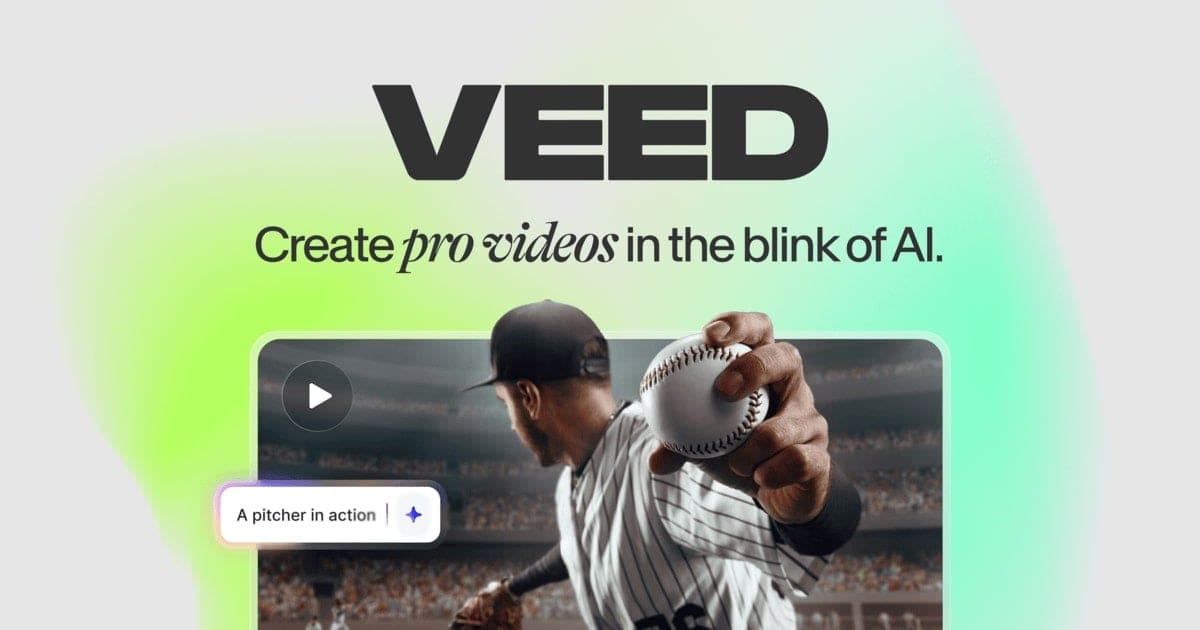
Veed.io is your go-to online video editor designed to make video creation simple and quick for everyone. Think of it as a creative powerhouse right in your web browser, letting you cut, merge, add music, and even generate subtitles with ease. It's built for anyone who wants to make great videos without needing a complicated setup or years of editing experience.
This tool is packed with smart features, including AI helpers that can do things like create avatars or clean up audio, making your videos look and sound professional. Whether you're making a quick social media clip or a more detailed presentation, Veed.io offers all the tools you need in one friendly place. It truly empowers you to bring your video ideas to life effortlessly.
📚 Key AI Concepts Explained:
1. AI Avatars: These are digital characters created by artificial intelligence that can "speak" your text, saving you time from filming yourself.
2. Auto Subtitle Generation: AI automatically listens to your video's audio and converts it into written text, making your content accessible to more viewers.
3. AI Noise Reduction: Artificial intelligence intelligently identifies and removes unwanted background sounds from your audio, making voices clearer.
📖 Words to Know:
1. Royalty-free media: Videos and audio available for use without extra payment.
2. Subtitles: Written text of a video's dialogue, displayed onscreen for viewers.
3. Brand Kit: Saved set of your brand's fonts, logos, and colors.
🎯 Imagine This:
Veed.io is like having a skilled video editor assistant right beside you, but it costs much less.
It's also like baking a cake with a smart oven that knows how to perfectly mix and bake your ingredients.
🌟 Fun Fact About the Tool:
1. Veed.io is loved by millions of users worldwide and highly rated on platforms like G2 for its ease of use.
2. It helps users create "pro-level videos in your pocket" with its mobile app, making editing accessible anywhere.
3. Veed.io's AI features can even correct your eye contact in videos, making you look more engaged.
✅ Pros:
1. Simple online editor, perfect for beginners and quick video tasks.
2. Powerful AI features like auto-subtitles and avatars save significant time.
3. All-in-one suite for recording, editing, and publishing videos easily.
❌ Cons:
1. Online-only means you need a good internet connection to work.
2. Advanced features might require a paid subscription, limiting free tier.
3. AI reliance may sometimes lack the nuanced touch of human editing.
🧪 Use Cases:
1. Create engaging social media videos with auto-subtitles for wider reach.
2. Produce quick marketing promos using stock footage and text overlays.
3. Generate educational content with AI avatars, saving filming time.
💰 Pricing Breakdown:
Veed.io offers a "Start for free* No credit card required" option, indicating a free tier to get started. While specific detailed pricing plans (e.g., Basic, Pro, Business tiers with exact monthly costs) were not readily available on the homepage reviewed content, the presence of a free starting option makes it accessible for new users. More detailed pricing can be found on their dedicated pricing page.
🌟 Real-World Examples:
1. A student can quickly edit a project presentation video, adding music and text to make it more impactful for their classmates.
2. A small business owner can create engaging promo videos for new products, easily adding automatic captions for social media.
3. A content creator can generate short, viral clips for TikTok or Instagram Reels, using AI features to speed up their workflow.
💡 Initial Warnings:
1. Ensure your internet connection is stable; Veed.io is an online tool, performance depends on it.
2. Be mindful of subscription costs after the free tier, especially for advanced or frequent use.
3. Always back up important projects; rely on cloud saving but keep local copies for critical work.
🚀 Getting Started:
1. Visit Veed.io: https://www.veed.io to begin your video journey.
2. Click "Sign Up" or "Start for free" to create your account.
3. Follow simple on-screen instructions to set up your profile.
4. Explore the dashboard; start your first project by uploading or recording.
5. Use tutorials to understand core features like cutting and adding text.
💡 Power-Ups:
1. Explore the AI Agent feature to automate complex editing tasks, letting AI handle adjustments.
2. Utilize Custom Avatars and Voice Cloning to create personalized digital versions for branding.
3. Explore API access for Fabric 1.0 or AI Lip Sync to integrate Veed.io's AI into your apps.
🎯 Difficulty Score: 2/10 😌 (Very Easy)
Veed.io scores a solid 2 out of 10 for difficulty, making it incredibly beginner-friendly. Its intuitive interface means most users can start editing videos within minutes, without needing prior experience. While the basic editing is super easy, unlocking advanced AI features offers deeper benefits with a slight learning curve. Overall, its usability is high, enjoyment comes from seeing quick results, and the benefits of streamlined creation outweigh any minimal skill needed.
⭐ Official AI-Driven Rating: 9/10
Veed.io earns a fantastic 9 out of 10 in our official AI-driven rating, thanks to its powerful combination of simplicity and advanced AI. We love how it democratizes video editing, allowing anyone to produce high-quality content without a steep learning curve. Points are awarded for its robust feature set, particularly the AI tools like auto-subtitles and avatars, and its excellent user experience. A slight deduction is for requiring an internet connection and the potential for a subscription cost for full features, but it's a stellar tool for rapid video creation.
🔎 DEEPER LOOK at Veed.io
🎯 Why Veed.io is a Game-Changer for Content Creators
Are you a content creator, marketer, or small business owner looking to make stunning videos without spending hours learning complex software? Veed.io is here to revolutionize your video creation process, making it unbelievably simple and remarkably fast. It's built specifically for people who want to share their stories, promote their products, or educate their audience with professional-looking videos, even if they're brand new to editing.
Veed.io helps you solve the age-old problem of needing professional video skills to create engaging content. With its intuitive drag-and-drop interface and smart AI features like auto-subtitles and background removal, you can produce captivating videos that resonate with your audience. You'll be able to work smarter, not just faster, by letting AI handle the tedious tasks, freeing you up to focus on your creative vision and message.
Even seasoned professionals will find Veed.io invaluable for quick edits and leveraging its AI capabilities for enhanced productivity. But for beginners, it truly empowers you to jump into video creation with confidence, ensuring your content stands out. Spend less time struggling with software and more time letting your creativity shine through engaging videos.
🔑 Key Features of Veed.io: In-Depth Breakdown
Feature 1: Auto Subtitle Generator
This feature is a lifesaver for making your videos accessible and engaging. Veed.io uses AI to automatically transcribe your spoken words into accurate subtitles with just a click. This means your videos can be understood even with the sound off, which is crucial for social media, and it saves you countless hours you'd spend typing captions manually. It's perfect for educational content, interviews, or any video where clear communication is key.
Feature 2: AI Avatars & AI Voices
Imagine creating a video without ever needing to film yourself! Veed.io's AI Avatars allow you to generate digital presenters that speak your text, complete with realistic voices. You can even clone your own voice to use with these avatars. This feature is incredibly valuable for generating quick explainer videos, marketing messages, or training content, providing a consistent on-screen presence without the need for studio equipment or actors.
Feature 3: Magic Cut & AI Editing Tools
Magic Cut leverages AI to intelligently trim and optimize your video clips, finding the best moments and removing filler content automatically. Beyond that, Veed.io offers other AI-powered editing like Eye Contact Correction, which makes it look like you're always looking directly at the camera, and AI Background Removal. These tools dramatically enhance the professionalism of your videos with minimal effort, making complex edits accessible to everyone.
🚀 Real-World Case Studies Using Veed.io
Don’t just take our word for it. Here are a few real-world examples of how people are using Veed.io to do amazing things.
1. Sarah, a budding YouTube vlogger, used Veed.io to quickly edit her travel diaries. She loved how easy it was to cut scenes, add upbeat music from the stock library, and generate perfect subtitles, making her videos more polished and reaching a wider audience without much fuss.
2. Mark, who runs a small online store, needed to create product demo videos without hiring a professional editor. He utilized Veed.io's screen recorder to show off his products and then used the AI Voice Generator to add clear narrations, boosting his product's appeal and sales.
3. Emily, a virtual fitness coach, found Veed.io essential for creating engaging workout snippets for Instagram. She used the video trimmer and added custom text overlays, empowering her to consistently produce fresh content that kept her followers motivated and growing her brand.
❓ Frequently Asked Questions about Veed.io
1. What exactly is Veed.io and who is it for?
Veed.io is an online video editor that makes it super easy to create, edit, and share videos directly from your browser. It's perfect for beginners, content creators, small businesses, and anyone needing to make professional-looking videos quickly without complex software.
2. Is there a free version of Veed.io available?
Yes, Veed.io offers a free-to-start option that doesn't require a credit card, allowing you to try out many of its core features. For more advanced tools and higher usage limits, they provide paid subscription plans.
3. Can Veed.io help me add subtitles to my videos automatically?
Absolutely! One of Veed.io's standout features is its AI-powered Auto Subtitle Generator, which can automatically transcribe your video's audio into accurate captions with just one click, saving you significant time and effort.
4. How safe is my data and video content on Veed.io?
Veed.io aims to provide a secure platform for your content, operating online with industry-standard security measures. Always ensure you use strong passwords and check their privacy policy for detailed information on data handling.
5. What do I need to get started with Veed.io?
All you need is a web browser and an internet connection to start using Veed.io. You can sign up for a free account, and then you're ready to upload your videos or start recording directly within the platform.
⚖️ Stay Safe:
The tools and information on this site are aggregated from community contributions and internet sources. We strongly recommend users independently verify all details, consult original resources for accuracy, and exercise caution. The information, including company profiles, pricing, rules, and structures, is based on current knowledge as of December 2025, and is subject to change at the discretion of the respective entities.
This site is provided "as-is" with no warranties, and no professional, financial, or legal advice is offered or implied. We disclaim all liability for errors, omissions, damages, or losses arising from the use of this information. This platform is intended to showcase tools for informational purposes only and does not endorse or advise on financial investments or decisions. Users must conduct their own due diligence (DYOR), verify the authenticity of tool websites to avoid phishing scams, and secure accounts with strong passwords and two-factor authentication.
AIC is not responsible for the performance, safety, outcomes, or risks associated with any listed tools. Some links on this site may be affiliate links, meaning we may earn a commission if you click and make a purchase, at no additional cost to you. Always research thoroughly, comply with local laws and regulations, and consult qualified financial or legal professionals before taking action to understand potential risks. Nothing herein constitutes professional advice, and all decisions are at the user’s sole discretion. This disclaimer is governed by the laws of St. Petersburg, Florida, USA.
🔗 Official Site: https://www.veed.io
🎥 Explainer Video: https://www.youtube.com/watch?v=q0Z6L6CRzgk
🧑💻 AIC Contributor: AIC Community
🧩 Quick Look: Easy online video editor with AI.
Beginner Benefit: Create pro videos fast, no skills.
🌟 Veed.io 101:
Veed.io is your go-to online video editor designed to make video creation simple and quick for everyone. Think of it as a creative powerhouse right in your web browser, letting you cut, merge, add music, and even generate subtitles with ease. It's built for anyone who wants to make great videos without needing a complicated setup or years of editing experience.
This tool is packed with smart features, including AI helpers that can do things like create avatars or clean up audio, making your videos look and sound professional. Whether you're making a quick social media clip or a more detailed presentation, Veed.io offers all the tools you need in one friendly place. It truly empowers you to bring your video ideas to life effortlessly.
📚 Key AI Concepts Explained:
1. AI Avatars: These are digital characters created by artificial intelligence that can "speak" your text, saving you time from filming yourself.
2. Auto Subtitle Generation: AI automatically listens to your video's audio and converts it into written text, making your content accessible to more viewers.
3. AI Noise Reduction: Artificial intelligence intelligently identifies and removes unwanted background sounds from your audio, making voices clearer.
📖 Words to Know:
1. Royalty-free media: Videos and audio available for use without extra payment.
2. Subtitles: Written text of a video's dialogue, displayed onscreen for viewers.
3. Brand Kit: Saved set of your brand's fonts, logos, and colors.
🎯 Imagine This:
Veed.io is like having a skilled video editor assistant right beside you, but it costs much less.
It's also like baking a cake with a smart oven that knows how to perfectly mix and bake your ingredients.
🌟 Fun Fact About the Tool:
1. Veed.io is loved by millions of users worldwide and highly rated on platforms like G2 for its ease of use.
2. It helps users create "pro-level videos in your pocket" with its mobile app, making editing accessible anywhere.
3. Veed.io's AI features can even correct your eye contact in videos, making you look more engaged.
✅ Pros:
1. Simple online editor, perfect for beginners and quick video tasks.
2. Powerful AI features like auto-subtitles and avatars save significant time.
3. All-in-one suite for recording, editing, and publishing videos easily.
❌ Cons:
1. Online-only means you need a good internet connection to work.
2. Advanced features might require a paid subscription, limiting free tier.
3. AI reliance may sometimes lack the nuanced touch of human editing.
🧪 Use Cases:
1. Create engaging social media videos with auto-subtitles for wider reach.
2. Produce quick marketing promos using stock footage and text overlays.
3. Generate educational content with AI avatars, saving filming time.
💰 Pricing Breakdown:
Veed.io offers a "Start for free* No credit card required" option, indicating a free tier to get started. While specific detailed pricing plans (e.g., Basic, Pro, Business tiers with exact monthly costs) were not readily available on the homepage reviewed content, the presence of a free starting option makes it accessible for new users. More detailed pricing can be found on their dedicated pricing page.
🌟 Real-World Examples:
1. A student can quickly edit a project presentation video, adding music and text to make it more impactful for their classmates.
2. A small business owner can create engaging promo videos for new products, easily adding automatic captions for social media.
3. A content creator can generate short, viral clips for TikTok or Instagram Reels, using AI features to speed up their workflow.
💡 Initial Warnings:
1. Ensure your internet connection is stable; Veed.io is an online tool, performance depends on it.
2. Be mindful of subscription costs after the free tier, especially for advanced or frequent use.
3. Always back up important projects; rely on cloud saving but keep local copies for critical work.
🚀 Getting Started:
1. Visit Veed.io: https://www.veed.io to begin your video journey.
2. Click "Sign Up" or "Start for free" to create your account.
3. Follow simple on-screen instructions to set up your profile.
4. Explore the dashboard; start your first project by uploading or recording.
5. Use tutorials to understand core features like cutting and adding text.
💡 Power-Ups:
1. Explore the AI Agent feature to automate complex editing tasks, letting AI handle adjustments.
2. Utilize Custom Avatars and Voice Cloning to create personalized digital versions for branding.
3. Explore API access for Fabric 1.0 or AI Lip Sync to integrate Veed.io's AI into your apps.
🎯 Difficulty Score: 2/10 😌 (Very Easy)
Veed.io scores a solid 2 out of 10 for difficulty, making it incredibly beginner-friendly. Its intuitive interface means most users can start editing videos within minutes, without needing prior experience. While the basic editing is super easy, unlocking advanced AI features offers deeper benefits with a slight learning curve. Overall, its usability is high, enjoyment comes from seeing quick results, and the benefits of streamlined creation outweigh any minimal skill needed.
⭐ Official AI-Driven Rating: 9/10
Veed.io earns a fantastic 9 out of 10 in our official AI-driven rating, thanks to its powerful combination of simplicity and advanced AI. We love how it democratizes video editing, allowing anyone to produce high-quality content without a steep learning curve. Points are awarded for its robust feature set, particularly the AI tools like auto-subtitles and avatars, and its excellent user experience. A slight deduction is for requiring an internet connection and the potential for a subscription cost for full features, but it's a stellar tool for rapid video creation.
🔎 DEEPER LOOK at Veed.io
🎯 Why Veed.io is a Game-Changer for Content Creators
Are you a content creator, marketer, or small business owner looking to make stunning videos without spending hours learning complex software? Veed.io is here to revolutionize your video creation process, making it unbelievably simple and remarkably fast. It's built specifically for people who want to share their stories, promote their products, or educate their audience with professional-looking videos, even if they're brand new to editing.
Veed.io helps you solve the age-old problem of needing professional video skills to create engaging content. With its intuitive drag-and-drop interface and smart AI features like auto-subtitles and background removal, you can produce captivating videos that resonate with your audience. You'll be able to work smarter, not just faster, by letting AI handle the tedious tasks, freeing you up to focus on your creative vision and message.
Even seasoned professionals will find Veed.io invaluable for quick edits and leveraging its AI capabilities for enhanced productivity. But for beginners, it truly empowers you to jump into video creation with confidence, ensuring your content stands out. Spend less time struggling with software and more time letting your creativity shine through engaging videos.
🔑 Key Features of Veed.io: In-Depth Breakdown
Feature 1: Auto Subtitle Generator
This feature is a lifesaver for making your videos accessible and engaging. Veed.io uses AI to automatically transcribe your spoken words into accurate subtitles with just a click. This means your videos can be understood even with the sound off, which is crucial for social media, and it saves you countless hours you'd spend typing captions manually. It's perfect for educational content, interviews, or any video where clear communication is key.
Feature 2: AI Avatars & AI Voices
Imagine creating a video without ever needing to film yourself! Veed.io's AI Avatars allow you to generate digital presenters that speak your text, complete with realistic voices. You can even clone your own voice to use with these avatars. This feature is incredibly valuable for generating quick explainer videos, marketing messages, or training content, providing a consistent on-screen presence without the need for studio equipment or actors.
Feature 3: Magic Cut & AI Editing Tools
Magic Cut leverages AI to intelligently trim and optimize your video clips, finding the best moments and removing filler content automatically. Beyond that, Veed.io offers other AI-powered editing like Eye Contact Correction, which makes it look like you're always looking directly at the camera, and AI Background Removal. These tools dramatically enhance the professionalism of your videos with minimal effort, making complex edits accessible to everyone.
🚀 Real-World Case Studies Using Veed.io
Don’t just take our word for it. Here are a few real-world examples of how people are using Veed.io to do amazing things.
1. Sarah, a budding YouTube vlogger, used Veed.io to quickly edit her travel diaries. She loved how easy it was to cut scenes, add upbeat music from the stock library, and generate perfect subtitles, making her videos more polished and reaching a wider audience without much fuss.
2. Mark, who runs a small online store, needed to create product demo videos without hiring a professional editor. He utilized Veed.io's screen recorder to show off his products and then used the AI Voice Generator to add clear narrations, boosting his product's appeal and sales.
3. Emily, a virtual fitness coach, found Veed.io essential for creating engaging workout snippets for Instagram. She used the video trimmer and added custom text overlays, empowering her to consistently produce fresh content that kept her followers motivated and growing her brand.
❓ Frequently Asked Questions about Veed.io
1. What exactly is Veed.io and who is it for?
Veed.io is an online video editor that makes it super easy to create, edit, and share videos directly from your browser. It's perfect for beginners, content creators, small businesses, and anyone needing to make professional-looking videos quickly without complex software.
2. Is there a free version of Veed.io available?
Yes, Veed.io offers a free-to-start option that doesn't require a credit card, allowing you to try out many of its core features. For more advanced tools and higher usage limits, they provide paid subscription plans.
3. Can Veed.io help me add subtitles to my videos automatically?
Absolutely! One of Veed.io's standout features is its AI-powered Auto Subtitle Generator, which can automatically transcribe your video's audio into accurate captions with just one click, saving you significant time and effort.
4. How safe is my data and video content on Veed.io?
Veed.io aims to provide a secure platform for your content, operating online with industry-standard security measures. Always ensure you use strong passwords and check their privacy policy for detailed information on data handling.
5. What do I need to get started with Veed.io?
All you need is a web browser and an internet connection to start using Veed.io. You can sign up for a free account, and then you're ready to upload your videos or start recording directly within the platform.
⚖️ Stay Safe:
The tools and information on this site are aggregated from community contributions and internet sources. We strongly recommend users independently verify all details, consult original resources for accuracy, and exercise caution. The information, including company profiles, pricing, rules, and structures, is based on current knowledge as of December 2025, and is subject to change at the discretion of the respective entities.
This site is provided "as-is" with no warranties, and no professional, financial, or legal advice is offered or implied. We disclaim all liability for errors, omissions, damages, or losses arising from the use of this information. This platform is intended to showcase tools for informational purposes only and does not endorse or advise on financial investments or decisions. Users must conduct their own due diligence (DYOR), verify the authenticity of tool websites to avoid phishing scams, and secure accounts with strong passwords and two-factor authentication.
AIC is not responsible for the performance, safety, outcomes, or risks associated with any listed tools. Some links on this site may be affiliate links, meaning we may earn a commission if you click and make a purchase, at no additional cost to you. Always research thoroughly, comply with local laws and regulations, and consult qualified financial or legal professionals before taking action to understand potential risks. Nothing herein constitutes professional advice, and all decisions are at the user’s sole discretion. This disclaimer is governed by the laws of St. Petersburg, Florida, USA.
Not Rated Yet